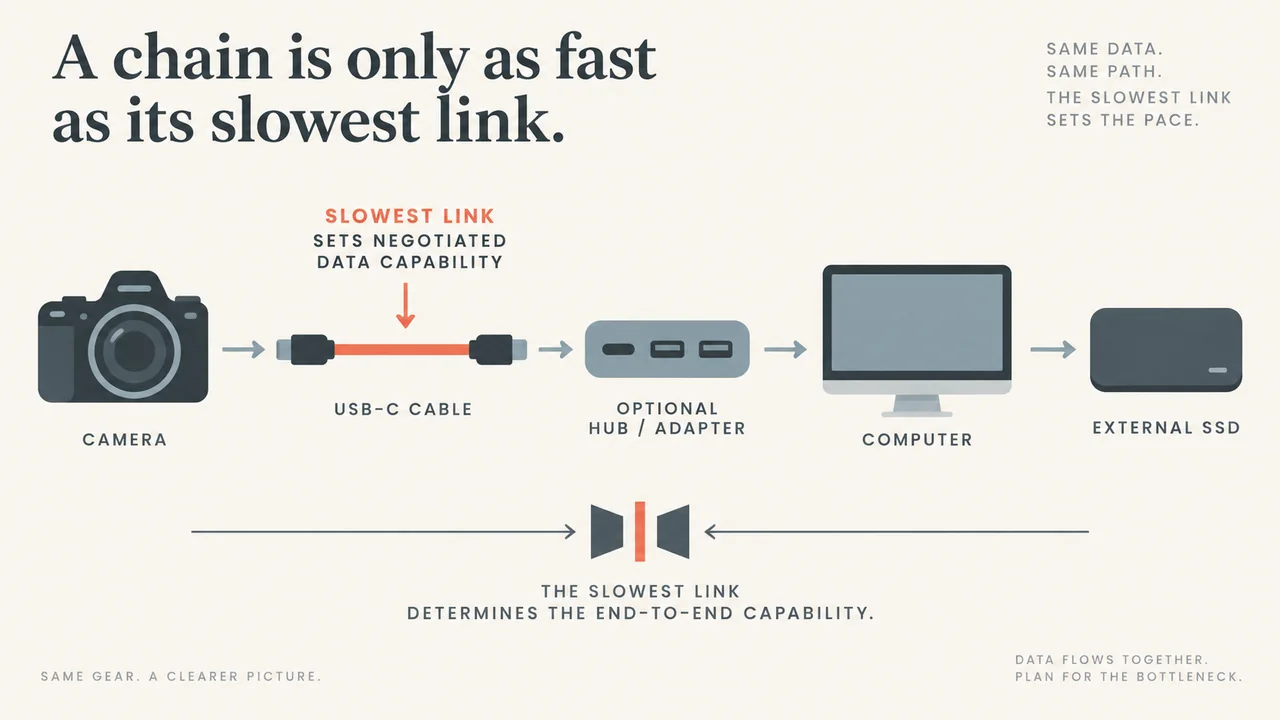
Short answer: USB-C is a connector system, not one guaranteed data speed. The same reversible plug shape can be used with USB 2.0, USB 3.2 or USB4 products. For a creator moving photos, video or project files, identify the data rate of the camera or phone, the computer port, the cable and the storage device. The connection works at the lowest common capability.
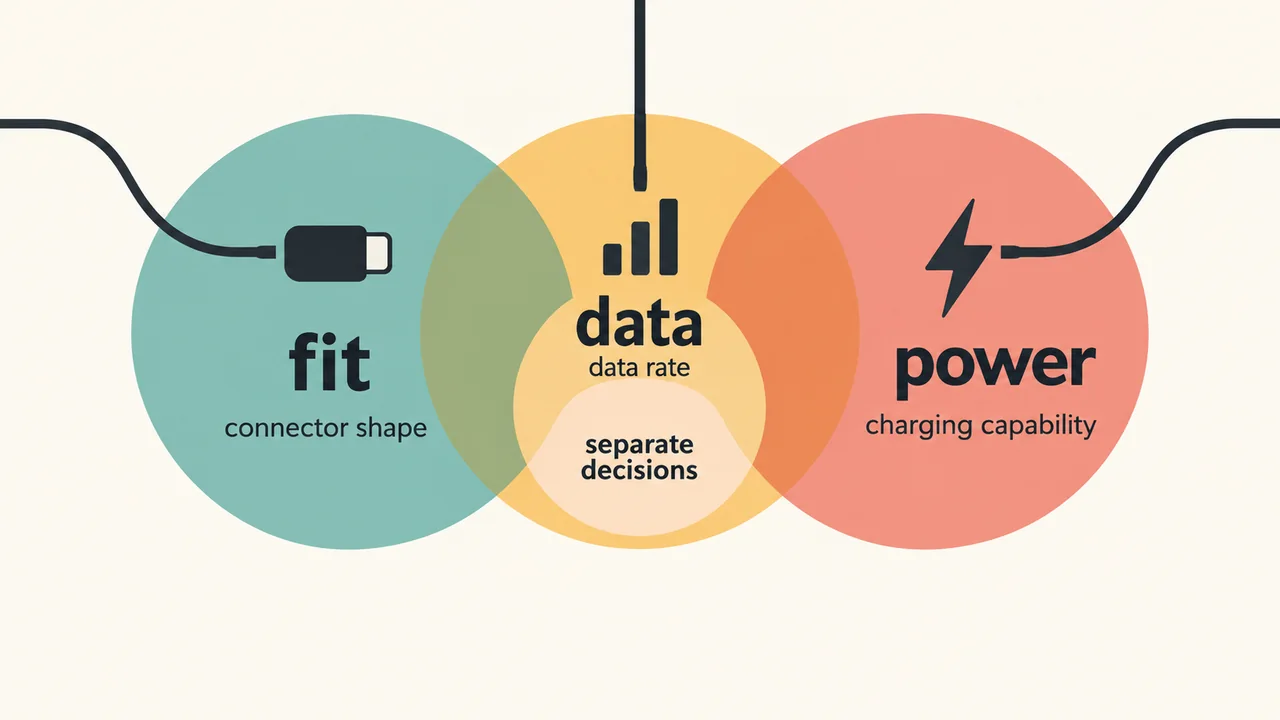
That is why a cable can charge a camera or phone normally and still make a large footage copy feel painfully slow. Power and data are separate capabilities. A USB-C label by itself does not answer either question fully.
What the connector tells you
USB Type-C defines the receptacle, plug and cable form factor. It makes insertion reversible and supports a range of USB architectures. USB-IF’s own guidance tells manufacturers to state performance separately from the physical characteristics of the product.
For data, the useful question is the advertised USB rate:
| Label | Signaling rate | Creator use |
|---|---|---|
| USB 2.0 | Up to 480 Mbps | Charging, small files and basic device connections |
| USB 3.2 Gen 1 | 5 Gbps | Faster card or camera transfers when every part supports it |
| USB 3.2 Gen 2 | 10 Gbps | More practical for larger photo and video batches |
| USB 3.2 Gen 2×2 | 20 Gbps | Requires compatible host, device and cable |
These are signaling rates, not a promise that a file copy will reach the same number. Storage speed, protocol overhead, file system and the host device also affect the result. Treat the rate as a ceiling for the link.
The slowest part sets the link
USB-IF says USB products remain backward compatible and operate at the lowest common speed capability. In practice, a fast external SSD connected through a USB 2.0 computer port remains limited by that USB connection. A 10 Gbps computer port connected with a USB 2.0 cable will also fall back to USB 2.0 behavior.
How to choose a cable for a shoot
- Start with the device manual. Find the camera’s USB mode, tethering requirement or external-recording specification. A port may be USB-C physically while exposing only USB 2.0 data.
- Look for an explicit data rating. For a large transfer workflow, choose a reputable cable whose packaging states USB 5 Gbps, USB 10 Gbps, USB 20 Gbps or an explicit USB4 data rate. “Fast charging” describes power behavior; it does not establish a data rate.
- Check both ends of the path. The camera, computer, hub, dock, SSD and cable each need to support the mode. A hub or adapter can become the limiting link.
- Keep the cable appropriate for the job. Use a short, well-made cable for a camera tether or portable SSD, secure it against strain and test the exact setup before an important shoot. This is workflow preparation, not a claim that one cable has been independently tested here.
Charging and data are different decisions
A USB-C cable can be suitable for charging while offering only USB 2.0 data. USB-IF specifically notes that a USB 2.0 Type-C cable physically cannot carry USB 3.2 or USB4 signals, and that a faster host or device paired with that cable operates at the slower USB 2.0 speed. If a listing gives only wattage and omits data speed, do not assume it is suitable for footage transfers.
The reverse also matters: a cable’s data rating does not tell you the maximum charging power for every charger and device. Match the power requirement separately, using the device and charger documentation.
A two-minute pre-shoot check
Write down the data rate required by the camera mode. Then verify, in order: camera port, computer port, hub or dock, cable rating, and SSD or card reader. If a transfer is unexpectedly slow, compare the same files with and without the hub where your equipment allows it. Keep the camera manual as the authority for supported modes; this checklist is workflow advice, not a benchmark result.
For an ordinary charge or occasional phone sync, a USB-C cable with no high-speed marking may be adequate. For RAW photos, high-bitrate video, tethered capture or an external SSD, buy to the stated data rate and test the complete chain. The plug shape gets you connected; the specifications determine how quickly the work moves.
Sources: USB Implementers Forum, USB 3.2 overview; USB 3.2 language and packaging guidelines; USB Type-C and USB 2.0 Type-C language guidelines; . Accessed 2026-09-14.