Managing web browser updates across personal devices or corporate environments requires choosing an appropriate release channel. Google Chrome and Microsoft Edge structure their release channels with distinct cadences and support boundaries: Google Chrome documents five channels (Stable, Extended Stable, Beta, Dev, and Canary), while Microsoft Edge outlines four update options (Stable, Extended Stable, Beta, and Dev, alongside descriptions of a daily Canary channel). Additionally, the supplied Microsoft Edge documentation details specific application packaging and deployment policies for Windows.
Overview of Browser Release Channels
Both vendors provide channels designed for broad deployment, evaluation, and early testing, though their cadences and management options differ.
Stable Channel
The Stable channel is intended for broad deployment to most users across both browsers.
- Google Chrome: Chrome Stable is fully tested by the Chrome test team. Minor releases arrive every 2 to 3 weeks, and major releases arrive every 4 weeks.
- Microsoft Edge: Edge Stable is documented as the most stable channel and is the result of stabilizing the feature set from the prior Beta release. New features ship about every two weeks, and security and quality updates ship as needed. A release from the Stable channel is serviced until the next release from the channel is available.
Extended Stable Channel
Extended Stable provides an eight-week major release interval for organizations needing longer validation periods between feature updates.
- Google Chrome: Chrome Extended Stable updates every 8 weeks. Users receive feature updates less frequently while continuing to receive security fixes. Google notes this channel may be preferred by administrators who manually update Chrome releases and desire a slower cadence.
- Microsoft Edge: Edge Extended Stable is an enterprise release option for the Microsoft Edge Stable application with an 8-week major release cycle (compared to the two-week major release cycle for Stable). Feature updates are delivered every fourth Stable release (for example, moving from version 152 to 156, then 160). Organizations remain on the same major version between feature releases and receive security and critical fixes as needed, aligning with the Chromium Extended Stable security patching model.
Beta Channel
The Beta channel provides an early preview of upcoming features for representative validation in organizations.
- Google Chrome: Chrome Beta provides a 4 to 6-week preview of upcoming Stable features. Google recommends deploying Chrome Beta to approximately 5% of users so organizations can identify potential issues and prepare communications before broad rollout.
- Microsoft Edge: Edge Beta is a supported channel intended for representative validation in an organization, with new features shipping about every two weeks.
Dev Channel
The Dev channel is targeted at developers and IT staff testing upcoming platform features and API changes.
- Google Chrome: Chrome Dev offers a 9 to 12-week preview of upcoming stable features and APIs. Google notes that Dev is not 100% stable, but reports from developers and IT staff help identify changes impacting their environment before release stabilization.
- Microsoft Edge: Edge Dev ships weekly preview builds to help teams plan and develop with latest capabilities with higher quality than Canary. In Microsoft Edge’s channel overview, Dev is listed as unsupported.
Canary Channel
Canary delivers daily bleeding-edge builds across both browsers.
- Google Chrome: Canary is a future version of Chrome still in development where features appear and disappear, making it unstable for everyday use. Google recommends against using Canary unless requested by Google Cloud Support. In the Google Workspace Admin console, only four channels are manageable (Stable, Extended Stable, Beta, and Dev); Canary is not available.
- Microsoft Edge: Edge Canary ships daily and contains the newest investments. Microsoft notes that problems will arise over time due to this daily cadence. Canary is listed as unsupported, and Microsoft notes that users may want another channel installed side by side.
Comparing Channel Cadences and Support
The following table summarizes the documented cadences, primary purposes, and vendor support status based on the provided documentation.
| Channel | Google Chrome Cadence | Microsoft Edge Cadence | Microsoft Edge Support Status |
|---|---|---|---|
| Stable | Minor: 2–3 weeks; Major: 4 weeks | ~2 weeks | Yes |
| Extended Stable | 8 weeks | ~8 weeks (every 4th Stable release) | Yes |
| Beta | 4–6 week preview window | ~2 weeks | Yes |
| Dev | 9–12 week preview window | Weekly | No |
| Canary | Daily / bleeding-edge (unstable) | Daily | No |
Application Architecture and Deployment Mechanics (Microsoft Edge)
The supplied documentation details specific application architecture and deployment mechanisms for Microsoft Edge on Windows:
Standalone Applications vs. In-Place Updates
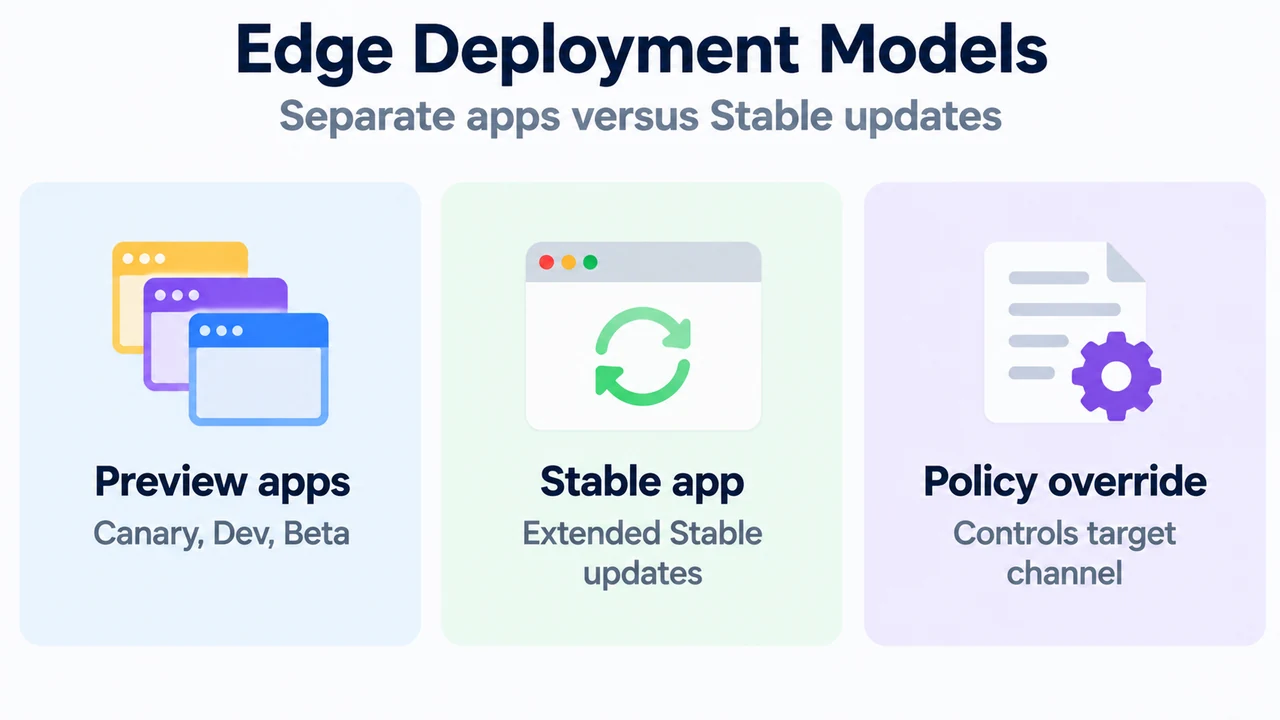
In Microsoft Edge, preview channels (Canary, Dev, and Beta) apply to their own browser applications, allowing them to run alongside other channels. In contrast, Microsoft Edge Extended Stable is not a separate application; Extended Stable updates apply directly to the Microsoft Edge Stable application.
Policy Configuration via Target Channel Override
Administrators managing Microsoft Edge on Windows can control channel behavior using the “Target Channel override” policy setting (available under local Group Policy via Computer Configuration > Administrative Templates > Microsoft Edge Update > Applications > Microsoft Edge, as well as Microsoft Intune):
- Extended Stable Opt-In: Setting the override to “Extended Stable” configures the installed Stable application to receive Extended Stable updates. When the next update to the Extended Stable channel is released with a version number higher than what is currently installed, the device automatically updates onto the Extended Stable channel. The active channel can be verified on
edge://settings/helpwhen EdgeUpdate is used. If a device is currently running a Stable version newer than the latest available Extended Stable release, it will not receive feature updates until the next Extended Stable release becomes available. - Flighting Prerelease Channels: Administrators can set “Target Channel override” to “Beta” for a representative sample set of users to flight prerelease builds without requiring users to run a second browser application.
- Version Downgrades and Rollback: By default, Microsoft Edge will not downgrade itself. To start devices with a specific version of Extended Stable when some devices have already updated to a newer Stable release, administrators can deploy that specific version of Microsoft Edge Stable as an MSI package with rollback enabled.
Research Methodology and Limitations
This answer was prepared strictly from the supplied public vendor documentation excerpts: the Microsoft Learn guide for Microsoft Edge release channels and the Google Chrome Enterprise Support article on Chrome browser release channels. No external web browsing, competitive analyses, lab benchmarks, or unverified claims were included. Material limitations include truncated text in the Microsoft Edge documentation excerpt (specifically omitting detailed MSI rollback instructions and additional resources), the absence of application packaging or local policy override details for Google Chrome in the supplied Google excerpt, and the lack of accessible competing coverage.
Text version of the diagrams
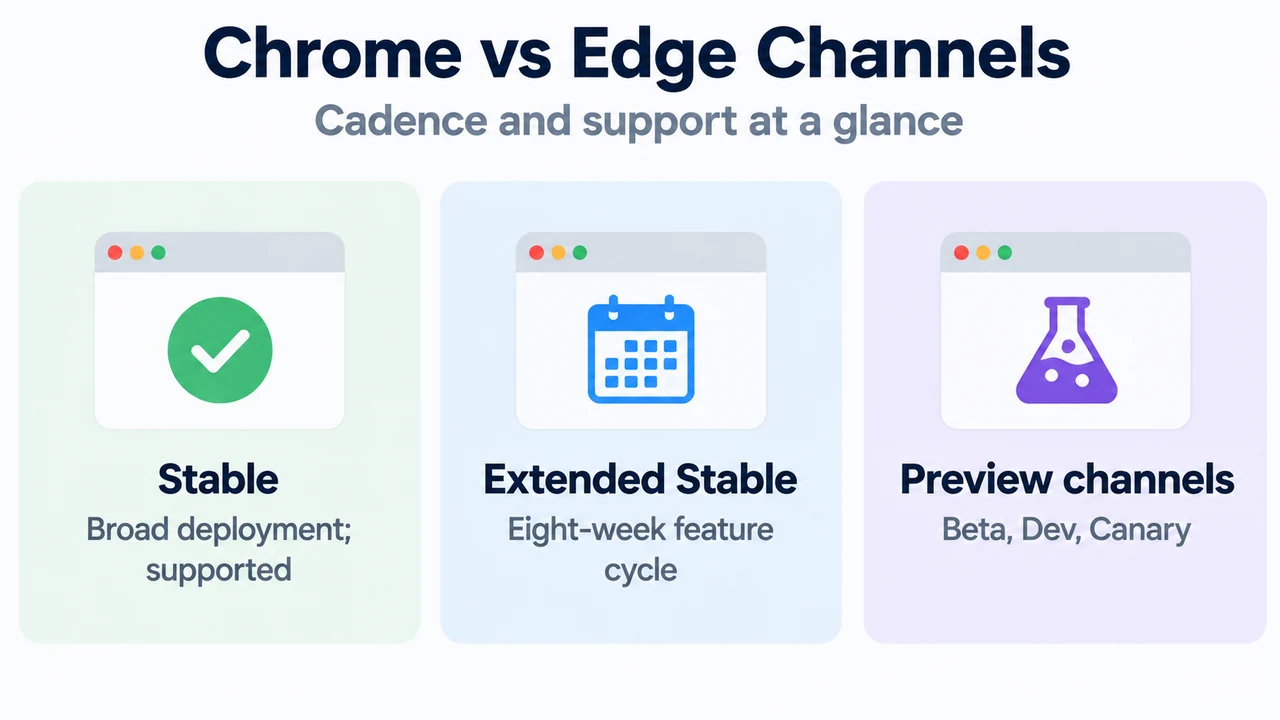
- Chrome vs Edge Channels: Stable — Broad deployment; supported; Extended Stable — Eight-week feature cycle; Preview channels — Beta, Dev, Canary
- Edge Deployment Models: Preview apps — Canary, Dev, Beta; Stable app — Extended Stable updates; Policy override — Controls target channel