Windows 11 administrators and advanced users should check scripts and tools that call wmic.exe before updating devices running Windows 11, versions 24H2, 25H2, or 26H1. Microsoft says the change removes only the WMIC command-line utility. Windows Management Instrumentation (WMI) remains supported through PowerShell, WMI APIs, and other programming interfaces.
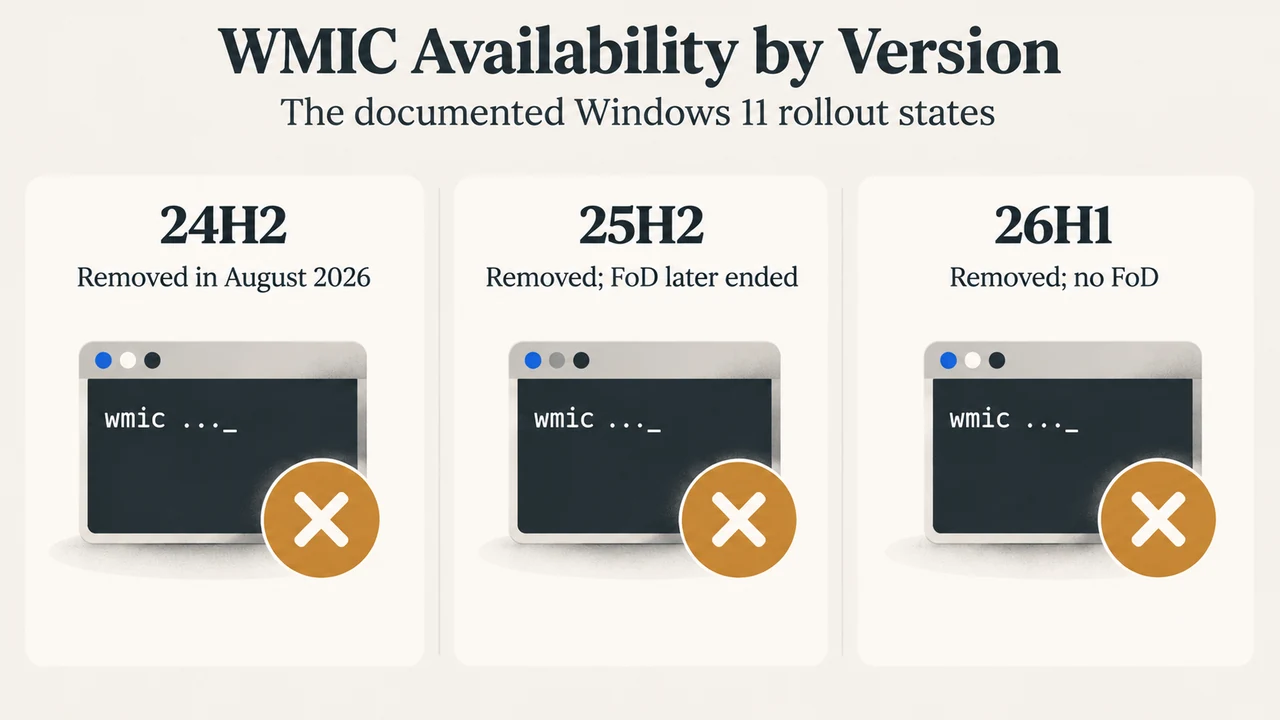
The timing differs by release. Microsoft says WMIC was disabled by default but still available as a Feature on Demand in Windows 11 versions 23H2 and 24H2 in 2024. It was removed during an upgrade to version 25H2 in 2025, although the utility could then be added back as a Feature on Demand. Microsoft’s updated removal guidance says the utility is included for removal from Windows 11 versions 24H2 and 25H2 in the August 2026 preview update, and that Windows 11 version 26H1 also does not include it. The updated guidance says WMIC is no longer available as a Feature on Demand for the currently supported Windows 11 versions.
What is actually being removed?
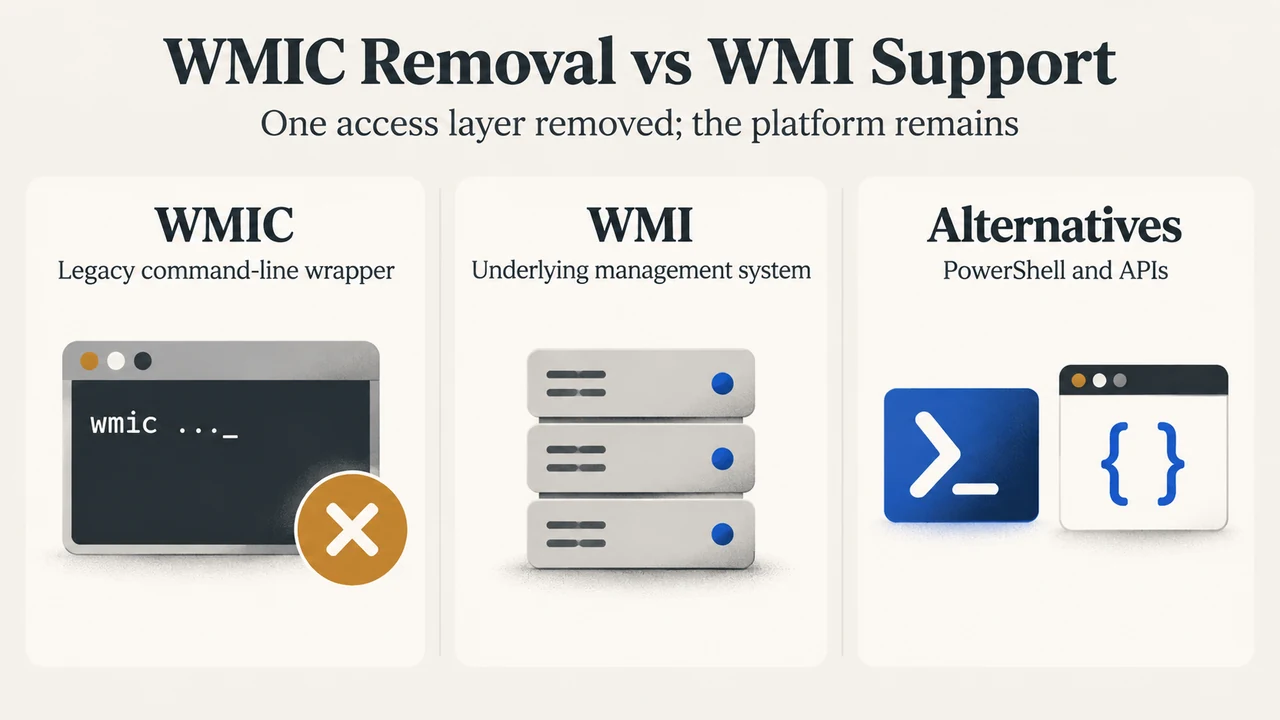
WMIC is the Windows Management Instrumentation Command-line utility. It provides a command-line interface to WMI. WMI is the underlying Windows management infrastructure, and Microsoft explicitly says it is not being removed.
That distinction matters when assessing an update. A script that directly launches wmic.exe may need changing. A PowerShell script that uses Get-CimInstance, or an application using WMI through .NET or the COM API, is using a different access method. Microsoft says those WMI-based methods remain supported.
Which Windows 11 versions are in scope?
| Windows 11 scope | Documented WMIC status |
|---|---|
| 23H2 | Disabled by default in Microsoft’s timeline; the supplied removal guidance does not describe this release as the August 2026 removal target. |
| 24H2 | The August 2026 preview update is identified as a removal point, and WMIC is no longer available as a Feature on Demand under the updated guidance. |
| 25H2 | Removed during the feature update in 2025, with temporary Feature on Demand availability described in Microsoft’s 25H2 page; the updated removal guidance says the utility is removed and no longer available as a Feature on Demand in the later 2026 phase. |
| 26H1 | Microsoft’s removal guidance says WMIC is removed and is not available as a Feature on Demand. |
These entries describe the supplied Microsoft documentation at the stated research date, September 20, 2026. The earlier 25H2 feature page and the later removal guidance describe different points in the rollout, so administrators should use the newer removal guidance for the 2026 status.
How to check whether a script depends on WMIC
Start with scripts and tools you control. Search batch files and other script files for the literal command name wmic. Also review internal deployment, monitoring, and support documentation that tells people to run WMIC commands. Microsoft specifically recommends updating automated deployment or monitoring systems, internal IT documentation, support scripts, and user guides that reference WMIC.
A text search can find a direct command reference, but the supplied Microsoft guidance does not establish that it will find every third-party dependency or every application that invokes WMIC indirectly. Treat a clean search as useful evidence, not as proof that no dependency exists.
Microsoft’s documented replacement for a basic process query
Microsoft gives this example:
wmic path win32_process get NameThe documented PowerShell replacement is:
Get-CimInstance Win32_Process | Select-Object NameThe first command uses the WMIC command-line wrapper. The second uses PowerShell’s CIM cmdlet to query the Win32_Process class and select the Name property. This is a concrete replacement for the process-name example only. It does not prove that every WMIC command can be converted by copying the same pattern.
Microsoft lists additional PowerShell options, including Get-WmiObject and Invoke-CimMethod, and says more complex applications can use WMI through interfaces such as the .NET System.Management library or the COM API. The right replacement depends on what the existing command or application does.
What to update before a device change
- Identify scripts, tools, deployment tasks, monitoring systems, and documentation that directly call WMIC.
- Record what each call queries or changes before selecting a replacement.
- For a basic process-name query, evaluate the PowerShell example documented by Microsoft.
- For more complex work, evaluate PowerShell cmdlets or a programmatic WMI interface rather than assuming a one-line substitution.
- Test the updated script or tool in the Windows version and update path relevant to your environment.
Microsoft recommends migrating away from WMIC to maintain compatibility with current and future Windows releases. Its documentation also says Windows is not losing the underlying management functionality: the change is focused on the legacy command-line utility.
Should you use the temporary WMIC workaround?
Microsoft documents a temporary mitigation for applications, scripts, or workflows that still depend on WMIC. It warns that the downloadable package is not a secure, long-term solution and should be used only at the user’s discretion while migration proceeds. Because it is explicitly temporary and involves installing files and changing the process execution-policy scope, it is not a substitute for updating the dependency. This guide does not reproduce those installation steps.
Bottom line
Check for direct wmic.exe dependencies before updating Windows 11 devices in the 24H2, 25H2, and 26H1 scope. The supported path is to migrate the task to PowerShell or another WMI interface. For the specific process-name example documented by Microsoft, use Get-CimInstance Win32_Process | Select-Object Name. Do not treat that example as a universal conversion rule, and do not confuse removal of WMIC with removal of WMI.
Research method and limitations: This article was prepared from the supplied public Microsoft excerpts retrieved on September 20, 2026, plus one supplied competing-page excerpt used only for coverage comparison. It makes no hands-on, lab, benchmark, or comprehensive compatibility-review claim. The supplied 25H2 Microsoft excerpt is truncated and contains an earlier Feature on Demand status; the later Microsoft removal guidance was used to describe the 2026 status. No claim is made here about undocumented third-party dependencies or commands beyond the visible examples.
Text version of the diagrams
- WMIC Removal vs WMI Support: WMIC — Legacy command-line wrapper; WMI — Underlying management system; Alternatives — PowerShell and APIs
- WMIC Availability by Version: 24H2 — Removed in August 2026; 25H2 — Removed; FoD later ended; 26H1 — Removed; no FoD