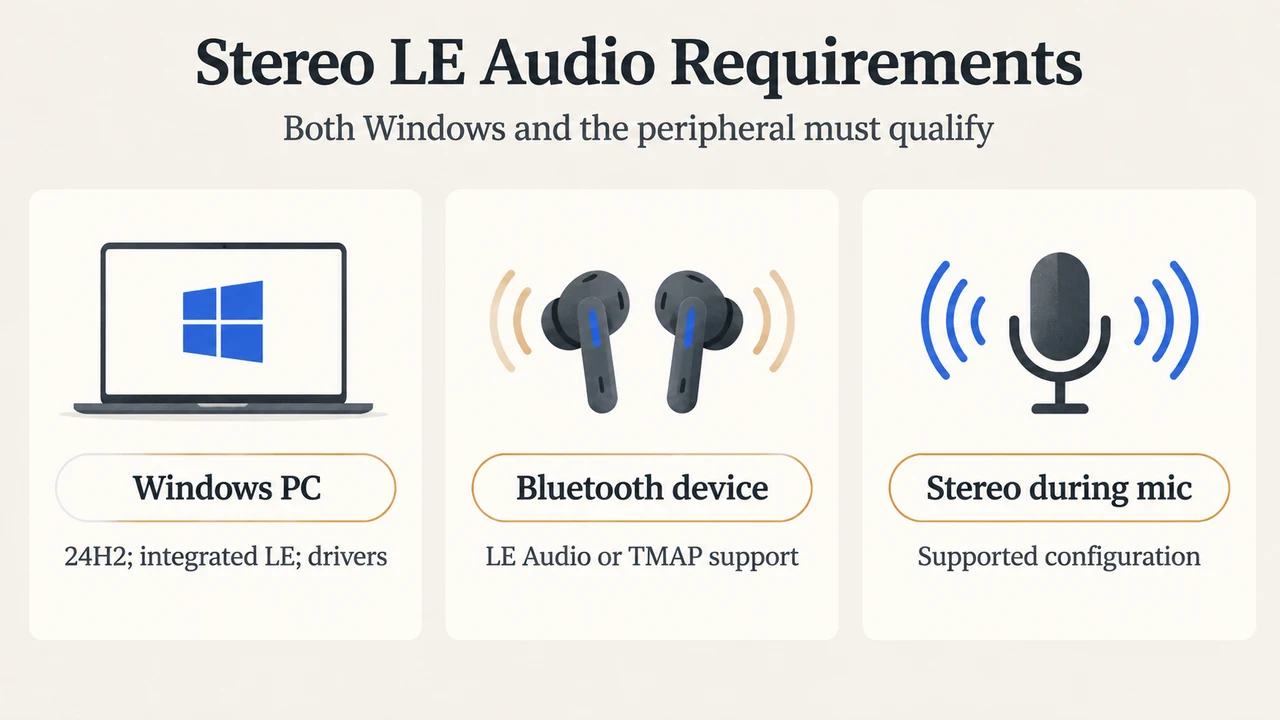
Windows 11 can keep Bluetooth playback in stereo while a headset microphone is active, but only on a specific supported configuration. Microsoft says the PC must run Windows 11 version 24H2 or newer with the latest updates, including build 26100.4484 or newer, have factory-integrated Bluetooth LE support, use the necessary manufacturer drivers for Bluetooth LE Audio stereo functionality, and connect to Bluetooth headphones, earbuds, speakers, or an assistive hearing device that supports Bluetooth LE Audio.
This is narrower than ordinary Bluetooth LE support. Microsoft says not every Windows 11 device marketed as supporting Bluetooth LE supports LE Audio. The relevant question is whether both the Windows device and the audio device meet the documented requirements.
What must be supported
Microsoft’s general LE Audio requirements include Windows 11 version 22H2 or newer, compatible Bluetooth LE support and audio codec support, and manufacturer-provided LE Audio drivers for both the Bluetooth LE radio and audio codec. Windows 10 and Windows 11 version 21H2 do not support Bluetooth LE Audio according to Microsoft.
Stereo playback while the microphone is active has stricter requirements. Microsoft specifies Windows 11 version 24H2 or newer with build 26100.4484 or newer, factory-integrated Bluetooth LE support, the required manufacturer drivers, and a Bluetooth LE Audio-capable audio device. The headset or earbuds’ specifications should explicitly mention Bluetooth LE Audio or the TMAP profile. If the manufacturer does not provide that information, Microsoft recommends contacting the device manufacturer.
How to interpret the Windows settings
Windows provides a capability check at Settings > Bluetooth & devices > Devices. Under Device settings, Microsoft says the Use LE Audio when available setting should be present and switched on for a supported Windows device. If the setting is not available, Microsoft says the device does not currently support LE Audio; hardware limitations or missing or incompatible drivers may be responsible.
That check establishes current Windows-side LE Audio availability. It does not by itself establish that stereo playback will work while the microphone is active, because the stereo feature has the additional version, factory-integration, driver, and peripheral requirements described above.
What Stereo and Mono mean here
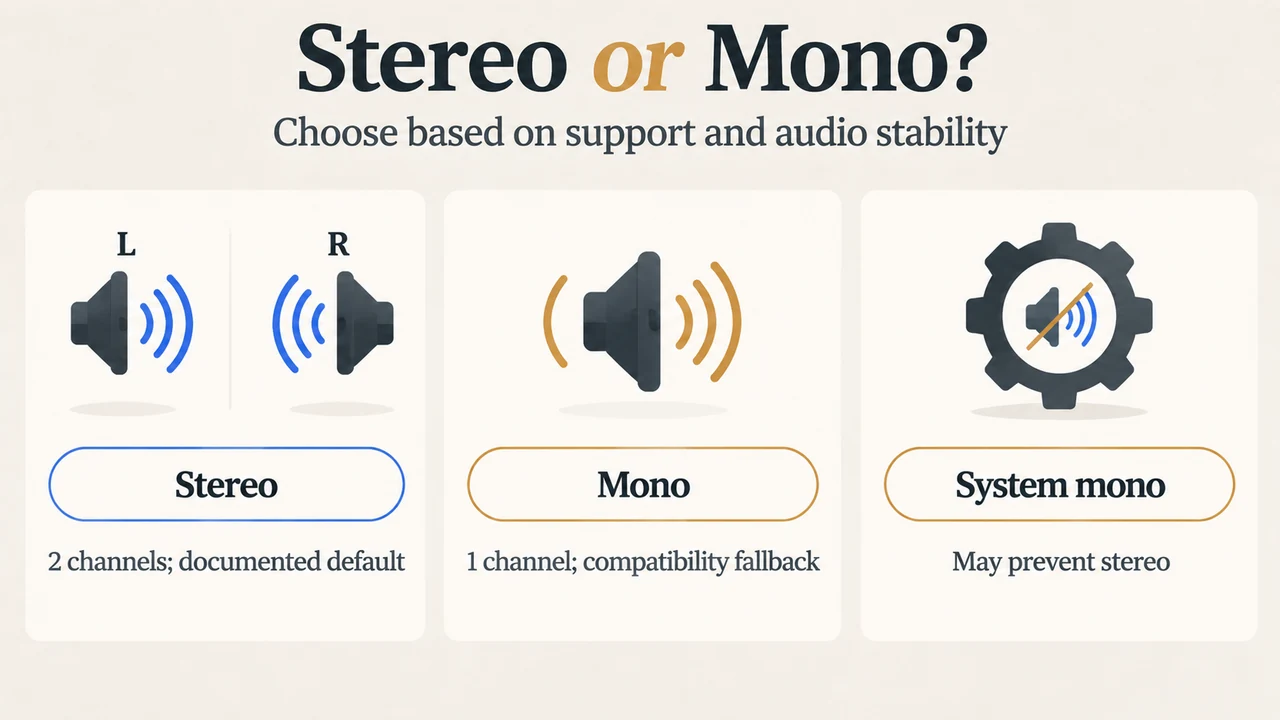
When the PC and Bluetooth audio device support stereo playback while the microphone is active, Microsoft says Windows defaults to Stereo (2 channels). If the PC or peripheral does not support LE Audio or the necessary driver support, Microsoft says Windows uses mono audio when the microphone is used.
Microsoft says some Bluetooth accessories may have audio problems while the microphone is active, such as loss of audio or disruptive glitches. In that situation, Microsoft recommends changing the format to Mono (1 channel) to improve compatibility. This is a format choice for the documented scenario.
Where the format choice appears
After the Bluetooth LE Audio device is paired and connected, Microsoft documents the format control at Settings > System > Sound. Select the arrow next to the Bluetooth LE Audio device under Output, expand the Output settings, and look for Format when microphone is active. The documented choices are Mono (1 channel) and Stereo (2 channels).
If that control does not appear, Microsoft says the system does not support stereo audio while the microphone is active. Microsoft advises checking for current operating-system and driver updates and contacting the PC manufacturer for further information. The supplied sources do not establish that an update will make every unsupported PC compatible.
One accessibility setting can affect stereo
Microsoft notes that when the system-wide mono audio toggle is enabled under Settings > Accessibility > Audio, Windows displays a warning that stereo audio may not function correctly. Microsoft says users who want stereo should disable that system-wide mono audio setting.
A concise compatibility decision
For stereo playback while the microphone is active, confirm Windows 11 version 24H2 or newer with build 26100.4484 or newer, factory-integrated Bluetooth LE support, and the required manufacturer drivers. Then confirm that the connected headset, earbuds, speaker, or assistive hearing device supports Bluetooth LE Audio. If Windows exposes the format control, Stereo is the documented default. If the control is absent, the supplied Microsoft guidance indicates that the system does not currently support this stereo feature. If Stereo causes loss of audio or disruptive glitches, Mono is Microsoft’s documented compatibility fallback.
Research method and limitations
This answer was prepared from the supplied public Microsoft support and Microsoft Learn source excerpts retrieved on September 20, 2026. It makes no hands-on, lab, benchmark, or comprehensive product-review claim. The Microsoft Learn passage is truncated, so it was not used to support unseen text. No competing coverage was available in the supplied material, so no comparison or comprehensive coverage claim is made.
Sources
Microsoft, “Check if a Windows 11 device supports Bluetooth Low Energy Audio”: https://support.microsoft.com/en-us/windows/hardware/bluetooth/check-if-a-windows-11-device-supports-bluetooth-low-energy-audio
Microsoft, “Configuring Bluetooth LE Audio quality settings on Windows 11”: https://support.microsoft.com/en-us/windows/hardware/bluetooth/configuring-bluetooth-le-audio-quality-settings-on-windows-11
Microsoft Learn, “Bluetooth Low Energy Audio”: https://learn.microsoft.com/en-us/windows-hardware/drivers/bluetooth/bluetooth-low-energy-audio
Text version of the diagrams
- Stereo LE Audio Requirements: Windows PC — 24H2; integrated LE; drivers; Bluetooth device — LE Audio or TMAP support; Stereo during mic — Supported configuration
- Stereo or Mono?: Stereo — 2 channels; documented default; Mono — 1 channel; compatibility fallback; System mono — May prevent stereo