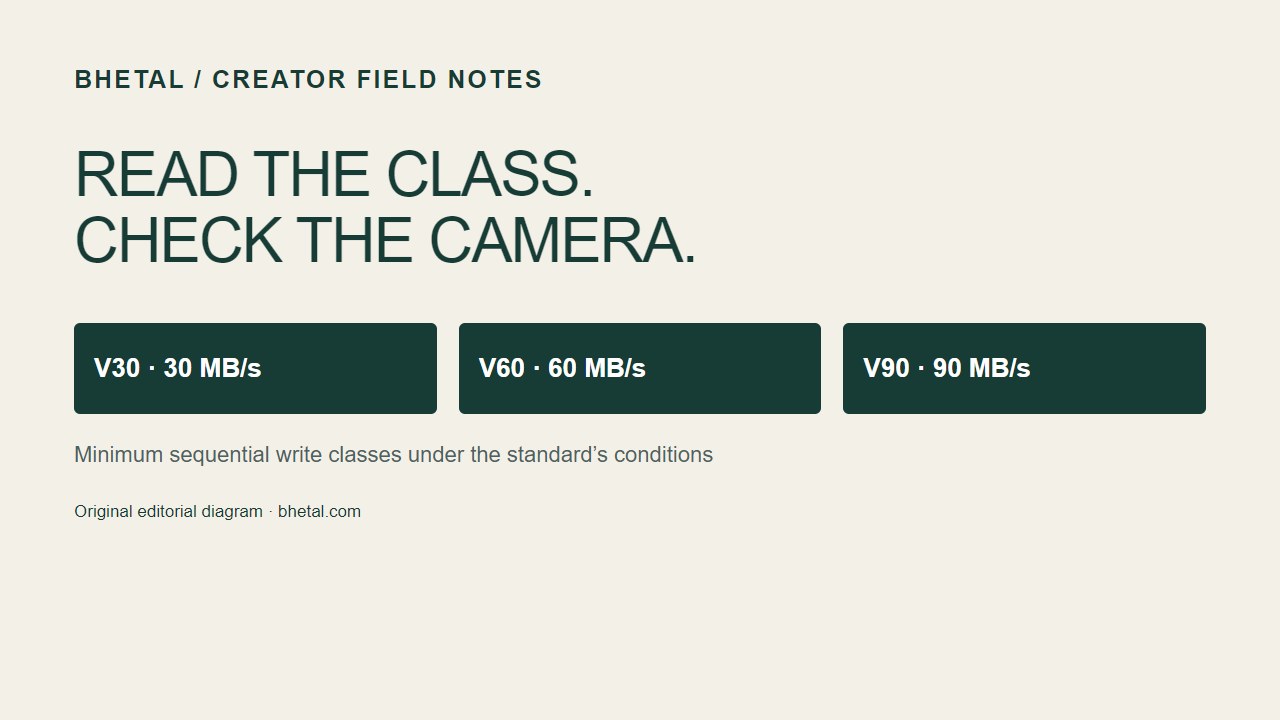
Short answer: choose the lowest Video Speed Class that is at least as high as your camera’s required sustained write speed, then confirm the card type and bus in the camera manual. V30 guarantees at least 30 MB/s sequential write, V60 at least 60 MB/s, and V90 at least 90 MB/s under the SD Association’s test conditions. The number printed as “up to 200 MB/s” is a separate maximum or reader-dependent performance claim.
For many ordinary 4K modes, V30 is enough. Higher-bitrate 4K, some 6K/8K modes, All-Intra recording and demanding burst workflows may call for V60 or V90. The camera’s recording menu and manual are the final authority.
What V30, V60 and V90 promise
| Mark | Minimum sequential write | What it tells you |
|---|---|---|
| V30 | 30 MB/s | Video Speed Class 30 sustained-write floor |
| V60 | 60 MB/s | Video Speed Class 60 sustained-write floor |
| V90 | 90 MB/s | Video Speed Class 90 sustained-write floor |
These are minimums for a defined sequential video-writing protocol. They are useful because video is a continuous stream: if the card cannot keep accepting data, recording can stop, frames can be dropped, or a mode can be disabled. A class mark is not a promise that every file transfer will run at that rate, and it does not measure random app performance.
Older marks can appear on the same card. C10 means the older Speed Class minimum is 10 MB/s; U3 means UHS Speed Class 3, also a 30 MB/s minimum. V30 is the video-specific class at that same nominal floor. Seeing C10, U3 and V30 together does not mean 10 + 30 + 30 MB/s; they are overlapping classification systems.
UHS-I and UHS-II are bus labels
“UHS” describes the interface between the card and host. UHS-I and UHS-II indicate different bus designs and potential transfer ceilings. The Roman numeral is not a sustained-write guarantee. A UHS-II V60 card combines a faster bus capability with a V60 write class; a UHS-I V30 card combines a different bus with a lower class floor.
Bus and class answer different questions:
- Bus: can the camera, card and reader communicate over UHS-I or UHS-II?
- Video Speed Class: how much sustained sequential writing is certified?
- Advertised read/write: what peak result does the maker quote for a particular setup?
A UHS-II card can work in a UHS-I camera when the physical format and device support allow it, but it will operate at the host’s supported mode. That is compatibility, not interchangeability: a card fitting the slot does not prove that the camera supports its capacity, filesystem, bus or recording mode. Check the manual for the maximum supported SDHC/SDXC/SDUC capacity, required class and whether UHS-II pins are supported.
Minimum write versus advertised reads
Video needs a steady write rate. Read speed mainly affects copying footage back to a computer and reviewing files. Clearing a camera buffer depends primarily on the camera write path and processing. A card may advertise “a very high peak read speed” while its relevant video class is V30. That can still be a good card, but the a high peak read speed figure does not turn it into a V60 card.
Peak figures depend on the host, reader, file system, temperature, card fullness and test method. Treat them as useful transfer guidance, not as a recording guarantee. For recording, use the class required by the camera; for offload, match the reader and computer to the card’s bus if faster copies matter.
Convert the camera’s bitrate before you buy
Camera menus usually show bitrate in megabits per second (Mb/s). Card classes use megabytes per second (MB/s). There are eight bits in a byte:
Required data rate in MB/s = bitrate in Mb/s ÷ 8.
Example: a 400 Mb/s mode is 50 MB/s before overhead (400 ÷ 8). A V30 card’s 30 MB/s floor is below that figure, so it is not a sensible match. A V60 card leaves 10 MB/s of class headroom. That does not guarantee the mode works: the camera may require a particular bus, filesystem or card list.
Allow practical headroom for container metadata, audio, file fragmentation and the difference between a menu’s nominal bitrate and sustained traffic. As a planning example, add 20% to the converted rate—not as an SD Association rule, but as a transparent buffer for your decision. For 400 Mb/s: 400 ÷ 8 = 50 MB/s; 50 × 1.2 = 60 MB/s. On that assumption, V60 is the minimum class to investigate, and the manual still decides.
Variable-bitrate codecs can average below their headline maximum while producing short peaks. Use the mode’s stated maximum or the camera maker’s required class when available. Do not infer a card requirement from resolution alone: two “4K” modes can have very different bitrates.
Capacity is recording time, not just a number on the label
Use the same units consistently. An approximate planning formula is:
hours = capacity in GB × 8,000 ÷ bitrate in Mb/s ÷ 3,600.
This uses decimal gigabytes and ignores formatting overhead, so real available time is a little lower. At 200 Mb/s, a nominal 128 GB card gives 128 × 8,000 ÷ 200 ÷ 3,600 = 1.42 hours, before overhead. At 400 Mb/s, the same card gives about 0.71 hours. If you need a two-hour interview at 400 Mb/s, plan around 360 GB by this simple calculation and choose the next supported capacity rather than filling a card to its last gigabyte.
Long takes also benefit from multiple cards and a rotation plan. Capacity does not compensate for an inadequate write class, and a faster class does not create more recording time.
Photography, burst shooting and other uses
For still photos, a fast card can help clear a burst buffer, but the camera’s buffer, processor and file size are equally important. A V90 mark is not a guaranteed frames-per-second rating. For phones, handheld consoles and small computers, application-performance marks such as A1/A2 may matter more than V30; confirm what the device actually specifies.
For drones, action cameras and dashcams, follow the maker’s exact class and capacity guidance. Some devices reject a card below V30 even when a lower class might appear adequate from a bitrate calculation. Some cameras require a card to be formatted in-camera before recording.
Camera mode and manual checks
Before ordering, look up the exact model and recording mode. Confirm:
- the mode’s maximum bitrate and whether it is Long GOP, All-Intra, RAW or a proxy stream;
- the required Video Speed Class or UHS Speed Class;
- the supported SDHC, SDXC or SDUC capacity range and filesystem;
- whether UHS-II is supported or a UHS-II card will simply fall back to UHS-I;
- whether a firmware update adds a mode or changes the required card specification.
If the camera displays “card too slow,” stop using that mode until you have checked the manual and card authenticity. A benchmark on a computer does not override the camera’s own compatibility requirement.
A practical buying worksheet
| Question | Your answer | Decision |
|---|---|---|
| Highest recording bitrate? | ___ Mb/s | Divide by 8; add a stated planning buffer |
| Manual-required class? | V30 / V60 / V90 / other | Use the manual if it is stricter |
| Host bus? | UHS-I / UHS-II / unknown | Match the camera and reader |
| Required take time? | ___ hours | Calculate capacity, then choose a supported size |
| Workflow? | Video / burst / apps / mixed | Prioritize the relevant class or application mark |
Then buy from a reputable channel, retain the receipt, and test the exact card in the exact camera before an important shoot. A genuine card from a known maker can still be the wrong specification for a particular host. Keep a second tested card available for work where a failed card would matter.
Safe handling and firmware context
Back up footage before formatting. Eject or power down according to the device instructions, keep contacts clean and dry, and avoid removing a card while the camera’s access light is active. Use the manufacturer’s documented firmware process and power precautions; firmware can change compatibility, but it cannot make an unsupported physical bus or class guarantee appear on a card.
Replace a card when it repeatedly reports errors or becomes read-only. Capacity checks can write substantial data, sometimes filling the card, so back up first. Do not rely on a label alone: counterfeit or misrepresented cards exist.
The decision in one sentence
Start with the camera manual, convert its highest bitrate to MB/s, choose a Video Speed Class with adequate sustained-write headroom, and separately match the card’s bus, capacity and reader to the rest of your workflow.
Sources: SD Association, Speed Class and card anatomy guide; SanDisk, SD specifications and compatibility and speed-class explanations. Accessed 2026-09-14.