What Are the Windows AI APIs?
The Windows AI APIs (part of Windows AI Foundry, integrated through the Windows App SDK) provide standardized access to local, hardware-accelerated artificial intelligence models directly on Windows 11 devices. Rather than requiring developers to find, run, package, or optimize custom machine learning models inside an application installer, the operating system manages and executes standardized models locally. This architecture supports background execution on supported hardware without mandatory cloud inferencing.
Primary documentation at Microsoft Learn: What are Windows AI APIs? details the hardware backing across capabilities. While local execution relies on Neural Processing Units (NPUs) built into Copilot+ PCs, selected capabilities have expanded to non-Copilot+ systems equipped with supported discrete graphics processing units (GPUs) and CPUs.
Execution Architecture: Copilot+ NPU vs. Discrete GPU Fallback
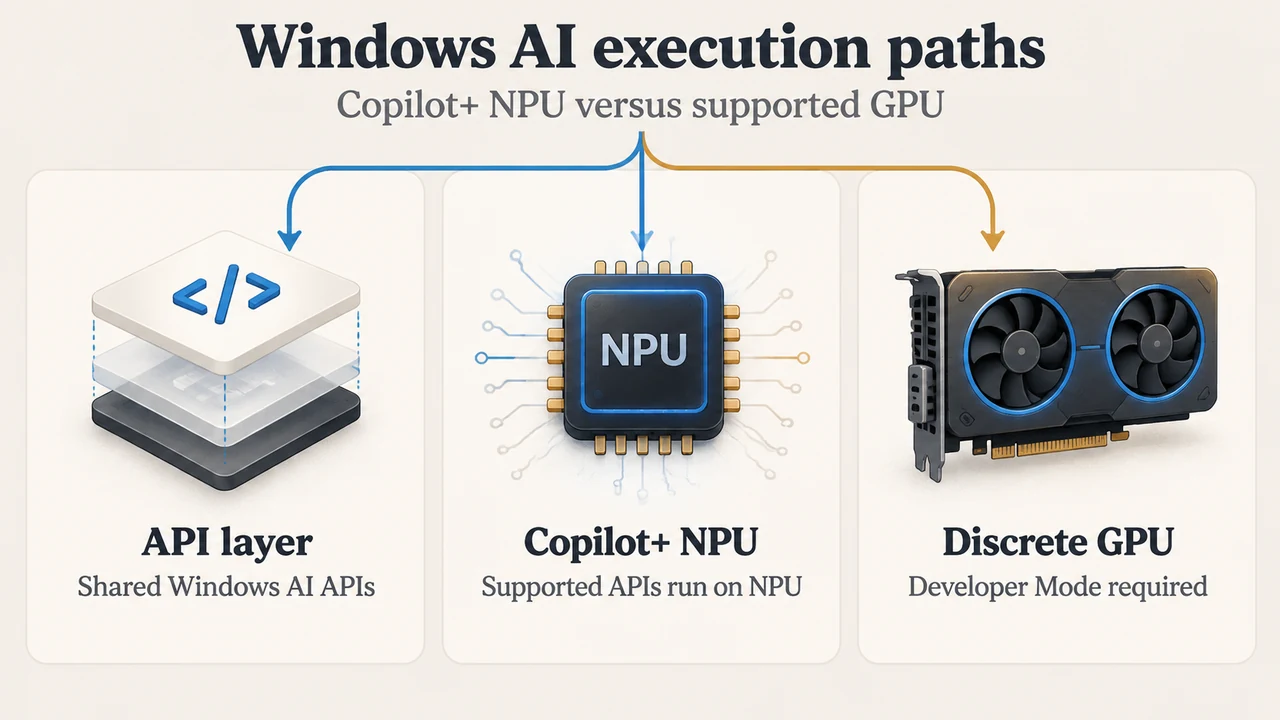
The execution path for Windows AI APIs depends on whether the host machine is a Copilot+ PC or a non-Copilot+ system:
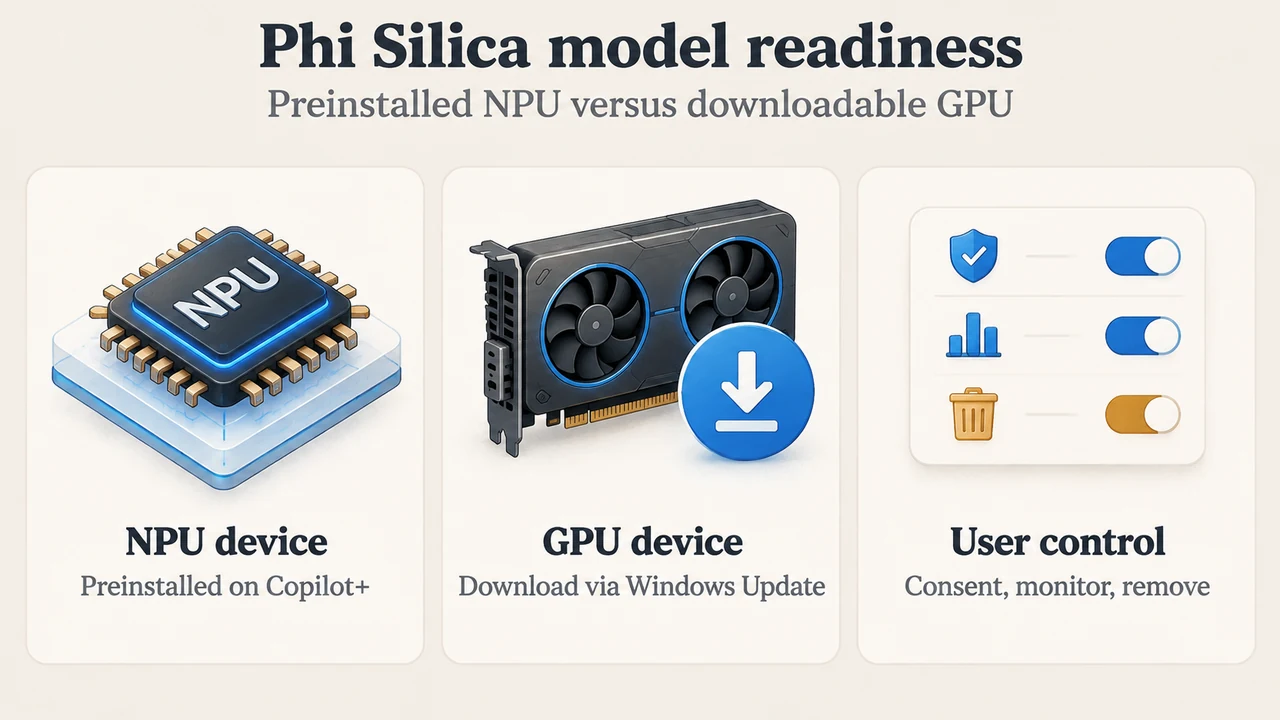
- Copilot+ PCs (NPU Execution): On a Copilot+ PC, supported APIs always run on the NPU. The GPU and CPU execution paths are not selectable alternative backends on a Copilot+ PC; execution is bound to the NPU. Certain models, including Phi Silica and Speech Recognition, are preinstalled on Copilot+ devices.
- Non-Copilot+ PCs (GPU Developer Fallback): Discrete GPU support enables development and testing outside Copilot+ hardware. It does not activate by default and requires explicitly enabling Developer Mode in Windows 11 settings (
Settings > System > For developers > Developer Mode).
Hardware support across capabilities is summarized below based on primary documentation:
| API | NPU (Copilot+ PC) | Discrete GPU | CPU |
|---|---|---|---|
| Phi Silica (Small Language Model) | Available | Available (NVIDIA & AMD) | Not supported |
| Text Recognition (OCR) | Available | Not supported | Not supported |
| Speech Recognition | Available (Preinstalled) | Not supported | Available (Optional, removable) |
| Video Super Resolution | Available | Not supported | Available |
| Image Super Resolution | Available | Not supported | Not supported |
| Image Segmentation | Available | Not supported | Not supported |
| Image Description | Available | Not supported | Not supported |
| Object Erase | Available | Not supported | Not supported |
| Image Generation | Available (Optional, removable) | Not supported | Not supported |
Discrete GPU Requirements and Feature Limitations for Phi Silica
According to Microsoft Learn: Get Started with Phi Silica, running local language model inference on a discrete GPU introduces specific platform prerequisites and feature differences compared to NPU execution:
Prerequisites and System Configuration
- Operating System Build: Windows Insider Program Experimental Channel, build 26300.8553 or later.
- SDK Version: Windows App SDK version 2.2.2-experimental9 (June 2026 Experimental) or later.
- NVIDIA Hardware & Driver: GeForce RTX 30 series and newer with at least 6 GB of vRAM, running the NVIDIA GeForce 615.21 driver (beta) installed directly from the manufacturer.
- AMD Hardware & Driver: Radeon RX 9060 series and newer with at least 6 GB of vRAM, running the AMD Software: Adrenalin Edition 26.10.2 driver installed directly from the manufacturer.
- Driver Integrity Warning: Default drivers from Windows Update or OEM installations may not be sufficient and can cause failures or degraded performance. If an OEM or Windows Update driver overwrites previously installed IHV drivers, developers must reinstall the latest manufacturer driver.
Architectural and Feature Discrepancies
While model weights and core output quality remain consistent across Copilot+ and non-Copilot+ PCs, GPU execution exhibits specific architectural differences:
- No Speculative Decoding: On NPU-equipped devices, Phi Silica uses speculative decoding, where an auxiliary draft model proposes token sequences that the main model verifies in parallel. This feature is not currently available on GPU, which may result in lower tokens-per-second throughput.
- No Prompt Compression: Prompt compression is available on NPU but not available on GPU. Applications targeting discrete GPUs must account for this when managing context windows.
- LoRA Fine-Tuning Workflow: LoRA adapters must be trained in the cloud using the Fine-Tuning Kit (FTK). Local testing of trained adapters can then be performed using the AI Dev Gallery across both NPU and GPU environments.
- Regional Restriction: Phi Silica and Image Description features are not available in China.
Model Lifecycle, Provisioning, and State Management
Because local models require several gigabytes of storage, the Windows App SDK defines an explicit provisioning and readiness pattern:
- State Check (
GetReadyState): Apps check the returnedAIFeatureReadyStatebefore using the model. IfReady, execution proceeds. IfNotSupportedOnCurrentSystem, the device does not meet supported hardware requirements. - On-Demand Provisioning (
EnsureReadyAsync): If the system returnsNotReady, apps should present a confirmation dialog requesting user consent for the download and storage footprint before invokingEnsureReadyAsync. On non-Copilot+ GPU systems, Phi Silica is not preinstalled and downloads in the background through Windows Update. Users can monitor download progress in Windows Update settings. - System Management (
AI Components): Installed models persist until removed. Users manage or uninstall installed models viaSettings > System > AI Components, where the Phi Silica GPU model is listed as “AI LanguageModel”.
Model Transition Roadmap: Phi Silica to Aion Instruct
Microsoft Learn documentation outlines a planned retirement and replacement schedule for Phi Silica:
- Early October 2026: A standalone sideloadable package becomes available for testing and LoRA training, allowing developers to validate Aion Instruct and retrain LoRA adapters using the Foundry Toolkit without needing Limited Access Feature (LAF) tokens.
- October 2026: Aion Instruct begins rolling out to Windows Insider Preview devices. During this phase, Phi Silica remains present, with the active model governed by Windows Controlled Feature Rollout (CFR) or side-by-side developer registry testing.
- November 2026: Aion Instruct rolls out to retail devices, and Phi Silica is removed.
Text version of the diagrams
- Windows AI execution paths: API layer — Shared Windows AI APIs; Copilot+ NPU — Supported APIs run on NPU; Discrete GPU — Developer Mode required
- Phi Silica model readiness: NPU device — Preinstalled on Copilot+; GPU device — Download via Windows Update; User control — Consent, monitor, remove
Research Methodology and Limitations
This explainer was prepared solely from the supplied public Microsoft Learn documentation excerpts for the Windows AI APIs overview and Phi Silica technical guide (retrieved September 18, 2026). No hands-on testing, benchmarks, or independent laboratory experiments were conducted. Competing third-party analyses were not available in the supplied evidence. In addition, parts of the underlying documentation excerpt were truncated at boundary limits, restricting analysis strictly to the visible source text.