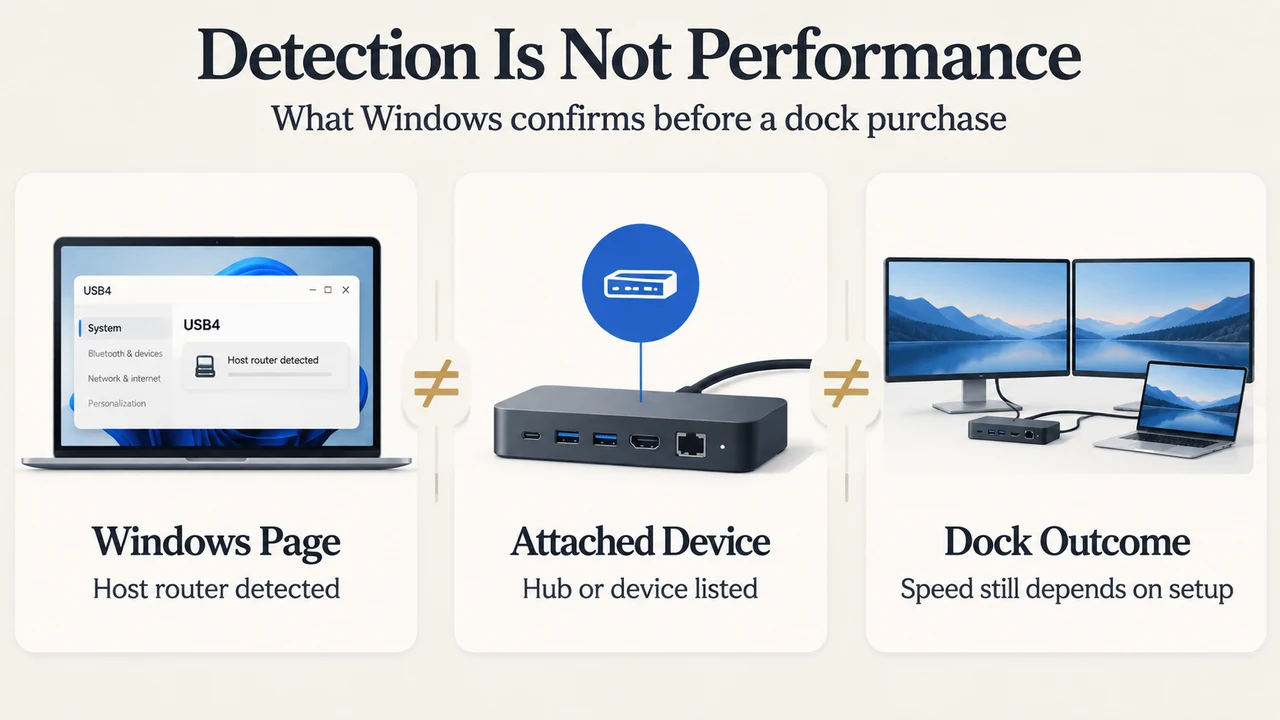
Windows 11 can provide a useful compatibility check before you buy a USB4 dock, but the check has limits. Starting with Windows 11 build 22621.1778 (KB5026446), the Settings app can list attached USB4 hubs and devices under Bluetooth & devices > USB > USB4 Hubs and Devices. Microsoft says the page is enabled when Windows detects a USB4 host router.
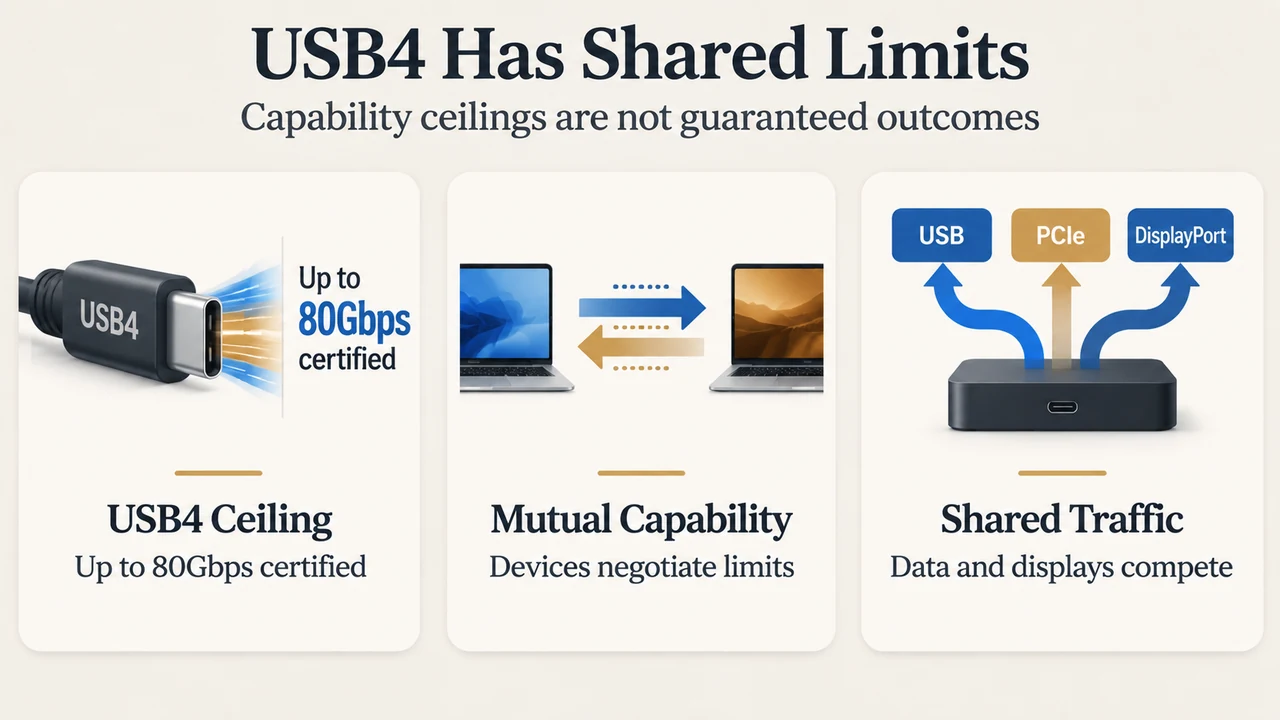
A visible USB4 connection still does not guarantee 80Gbps operation. USB4 connections scale to the best mutual capability of the connected devices, and the link may share capacity among data and display traffic. Treat the Windows page as evidence that Windows detects a USB4 host router and, when attached, a USB4 hub or device—not as a promise that every dock configuration will run at its maximum advertised rate.
What the Windows 11 page checks
Microsoft documents the USB4 page for Windows 11 build 22621.1778 and later. On a USB4-capable system, open Bluetooth & devices > USB > USB4 Hubs and Devices. The page lists attached USB4 hubs and devices and their capabilities when a USB4 host router is detected.
This makes the page useful for a specific question: does this Windows installation detect a USB4 host router, and does it show the attached USB4 hub or device? It is a Windows-side verification step, not a complete test of a dock’s performance.
Why the page may be absent
If the system is not USB4-capable, Microsoft says the USB4 Hubs and Devices page will not appear. That absence therefore does not establish that a particular dock is defective; it means the documented Windows USB4 page is not enabled for the detected system configuration.
Microsoft also documents different host-router enumeration cases. If a host router is statically or always enumerated, the page appears automatically. For a host router that is dynamically enumerated only when a USB4 hub or device is attached, Microsoft describes an OEM registry setting that can make the page visible even before a USB4 hub or device is connected. That is an OEM configuration detail, not a general instruction to change the registry.
Why USB4 does not automatically mean 80Gbps
The USB Implementers Forum describes USB4 as supporting up to 80Gbps operation over 80Gbps-certified cables, while also stating that a connection scales to the best mutual capability of the devices being connected. Its description also says USB4 supports multiple data and display protocols that share the aggregate bandwidth.
That means “USB4” identifies a family of capabilities, not one guaranteed result for every host, cable, dock and peripheral combination. The specific connection must have compatible capabilities across the components, and the cable must meet the relevant certification level for an 80Gbps claim.
Shared bandwidth can change the result
Microsoft’s USB4 design documentation says that USB 3.x, PCIe and DisplayPort traffic can be tunneled over USB4. It also explains that, for the examples described in the document, the calculated link rate after lane bonding can be 10Gbps, 20Gbps or 40Gbps, and that up to 90 percent of USB4 link bandwidth may be explicitly allocated for USB 3.x, PCIe and DisplayPort traffic. The available capacity is shared according to the connection manager’s policy.
Microsoft further documents that DisplayPort bandwidth allocation can depend on the system’s support for the USB4 specification’s DisplayPort bandwidth-allocation mode. On systems without that support, DisplayPort bandwidth is assigned on a first-come, first-served basis; if the available bandwidth is insufficient, DisplayPort capabilities may be masked to match the available bandwidth. These documented limits show why a dock’s advertised maximum should not be treated as the guaranteed result for every combination of displays, storage and other peripherals.
A practical pre-purchase check
- Confirm that the computer is running Windows 11 build 22621.1778 or later.
- Open Bluetooth & devices > USB > USB4 Hubs and Devices.
- Check whether the page appears. Microsoft says it appears when a USB4 host router is detected.
- After attaching a USB4 hub or device, check whether Windows lists it and shows its documented capabilities.
- Read the dock and cable specifications as a separate compatibility question. The USB-IF says the connection scales to the best mutual capability of the connected devices, and identifies 80Gbps operation with 80Gbps-certified cables.
This check can reduce one uncertainty: whether Windows detects the relevant USB4 host-router environment and attached USB4 equipment. It cannot, from the supplied evidence alone, predict the exact result of a particular dock, cable, display and peripheral combination.
What this guide does not establish
The supplied Microsoft excerpts do not provide a complete compatibility matrix for every Windows 11 release, computer model, dock, cable or peripheral. They also do not establish a universal measured transfer speed for any product. The USB4 design page includes truncated sections, so this guide uses only the visible statements about host-router detection, bandwidth sharing, link-rate examples and DisplayPort allocation.
This research-based guide was prepared from the supplied public source excerpts retrieved on September 20, 2026. One Microsoft source was marked as access-restricted in the fetched passage, and the competing excerpts were partial. No hands-on test, lab measurement, benchmark or comprehensive product review was performed.
Text version of the diagrams
- Detection Is Not Performance: Windows Page — Host router detected; Attached Device — Hub or device listed; Dock Outcome — Speed still depends on setup
- USB4 Has Shared Limits: USB4 Ceiling — Up to 80Gbps certified; Mutual Capability — Devices negotiate limits; Shared Traffic — Data and displays compete