Before purchasing a Google Pixel Watch for its electrocardiogram (ECG) feature, verify that your watch model, country location, paired smartphone operating system, and data connection meet Google’s technical requirements. The Google ECG app is supported on the Google Pixel Watch series in select countries, and syncing ECG records to the Google Health app requires an active LTE or Wi-Fi connection.
Google Pixel Watch Model and Android Compatibility
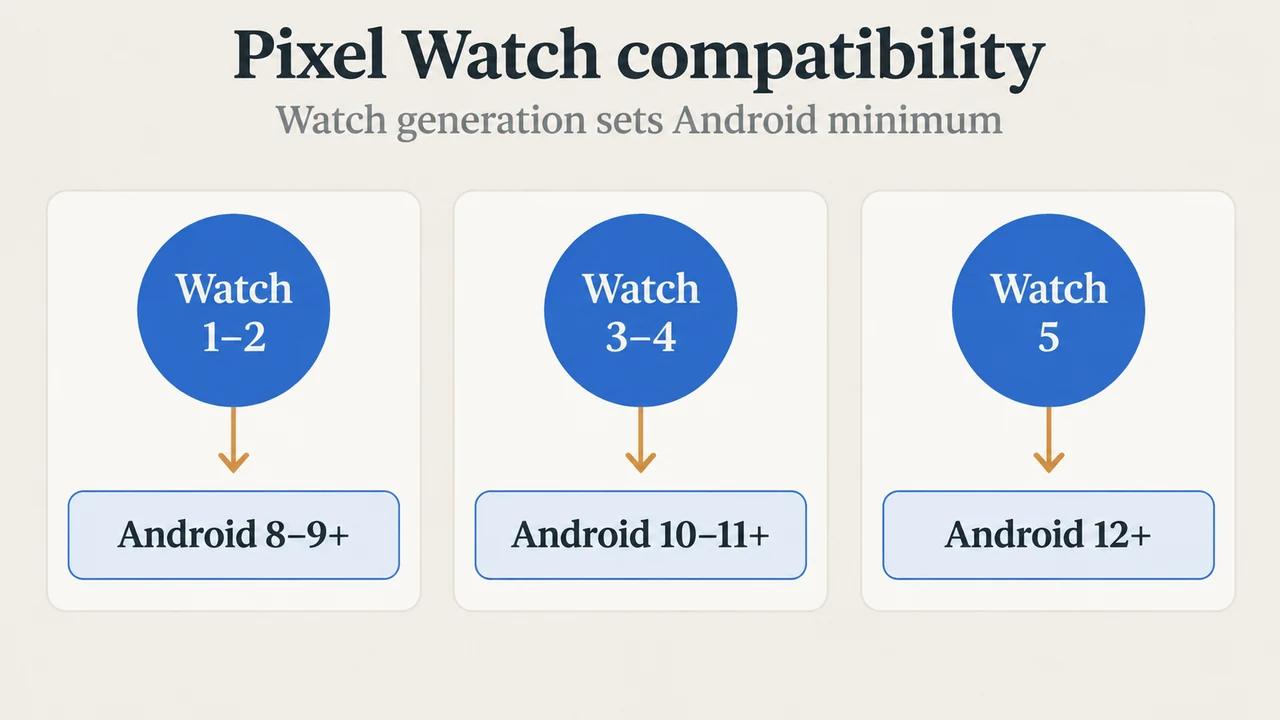
According to Google’s documentation, the Google ECG app is available on the Google Pixel Watch series and select tracker devices. Companion phone operating system prerequisites depend on the watch model:
- Apple iOS Exclusion: iPhones are not supported.
- Pixel Watch (1st Gen): Requires an Android phone running Android 8.0 or newer.
- Pixel Watch 2: Requires Android 9.0 or newer.
- Pixel Watch 3: Requires Android 10.0 or newer.
- Pixel Watch 4: Requires Android 11.0 or newer.
- Pixel Watch 5: Requires Android 12.0 or newer.
- Google Health App Requirements: Using the companion Google Health app requires a phone running Android 11 or newer, a Google Account, and internet access. Some features require a paid subscription.
Regional Regulatory Availability
The Google ECG app is available on the Google Pixel Watch series in the following countries and territories:
Australia, Austria, Belgium, Canada, Czech Republic, France, Germany, India, Ireland, Italy, Japan (excluding the first-generation Google Pixel Watch), Netherlands, New Zealand, Norway, Poland, Portugal, Puerto Rico, Romania, Singapore, Spain, Sweden, Switzerland, Taiwan, United Kingdom, and the United States.
If you are not located in a supported country or territory, the app displays an error message stating that the feature is not supported in your location.
Sync Requirements: LTE or Wi-Fi Connection
To transfer recorded ECG data from your watch to the Google Health app on your phone, network connectivity is required. The Google Pixel Watch series must be connected to LTE or Wi-Fi to sync your ECG data to the Google Health app.
Taking an Assessment and Understanding Results
On the Google Pixel Watch series, sensors are located on the crown (the dial on the outside) and on the back of the device. The back of the watch must rest securely against your skin. You initiate the assessment by sitting down, opening the Google ECG app by pressing the crown, and placing your finger on the product as shown on the screen.
When you start an ECG reading, if Do Not Disturb (DND) mode is off, it turns on automatically to ensure you receive a reading, and you can turn it off after the test is complete. You hold the contact point until the 30-second countdown is complete while sitting still with feet on the floor and forearms and wrists resting on a solid surface in front of you. If you remove your fingers or move too much during the reading, the countdown timer restarts.
After completing the 30-second assessment, you receive one of three results: Normal sinus rhythm, Atrial fibrillation (AFib), or Inconclusive. The app is qualitatively similar to a Lead I ECG to help discriminate between AFib and normal sinus rhythm, but it cannot diagnose AFib and cannot detect all heart conditions. An inconclusive result occurs when the app cannot obtain a clear reading due to one of three situations:
- High Heart Rate: Heart rate is over 120 bpm (which can occur due to recent exercise, stress, nervousness, alcohol, dehydration, infection, AFib, or other arrhythmia).
- Low Heart Rate: Heart rate is under 50 bpm (which can occur due to medications such as beta-blockers or calcium channel blockers, excellent aerobic fitness, or other arrhythmia).
- Didn’t Get a Good Reading: Caused by moving too much during the reading, not resting hands on a table, wearing the device too loosely, uneven or strenuous breathing, wearing the device on an unspecified wrist, or electronic interference.
If you receive an inconclusive result repeatedly, or you do not feel well, talk to your healthcare provider. Past results can be reviewed in the Google Health app under the Health tab (under “Health checks” > “ECG”), where individual entries can be deleted or exported as a PDF report (Google recommends using the latest version of Adobe Acrobat Reader to open the report).
Research Method and Limitations
This answer was prepared directly from the supplied public support documentation published by Google Health and Google Pixel Watch retrieved on September 23, 2026. The findings note that the primary Google Health excerpt cuts off right after introducing a clinical study of 440 people, omitting the study’s specific sensitivity and specificity percentages; those unsupported statistical claims were removed from this guide. Competing wearable coverage from Apple watchOS documentation contained truncated regional lists and lacked substantive technical comparisons with Pixel Watch hardware or companion app requirements. Independent hands-on testing and laboratory benchmarks were not conducted.
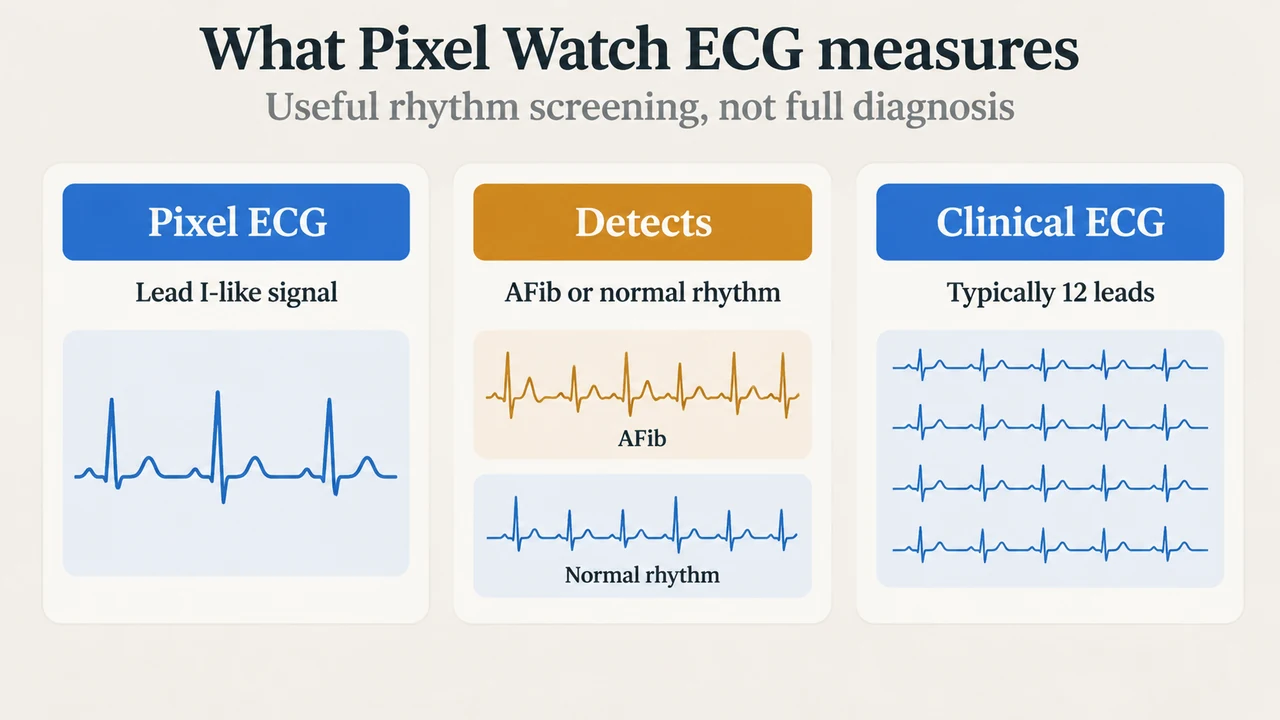
Text version of the diagrams
- Pixel Watch compatibility: Watch 1–2 — Android 8–9+; Watch 3–4 — Android 10–11+; Watch 5 — Android 12+
- What Pixel Watch ECG measures: Pixel ECG — Lead I-like signal; Detects — AFib or normal rhythm; Clinical ECG — Typically 12 leads