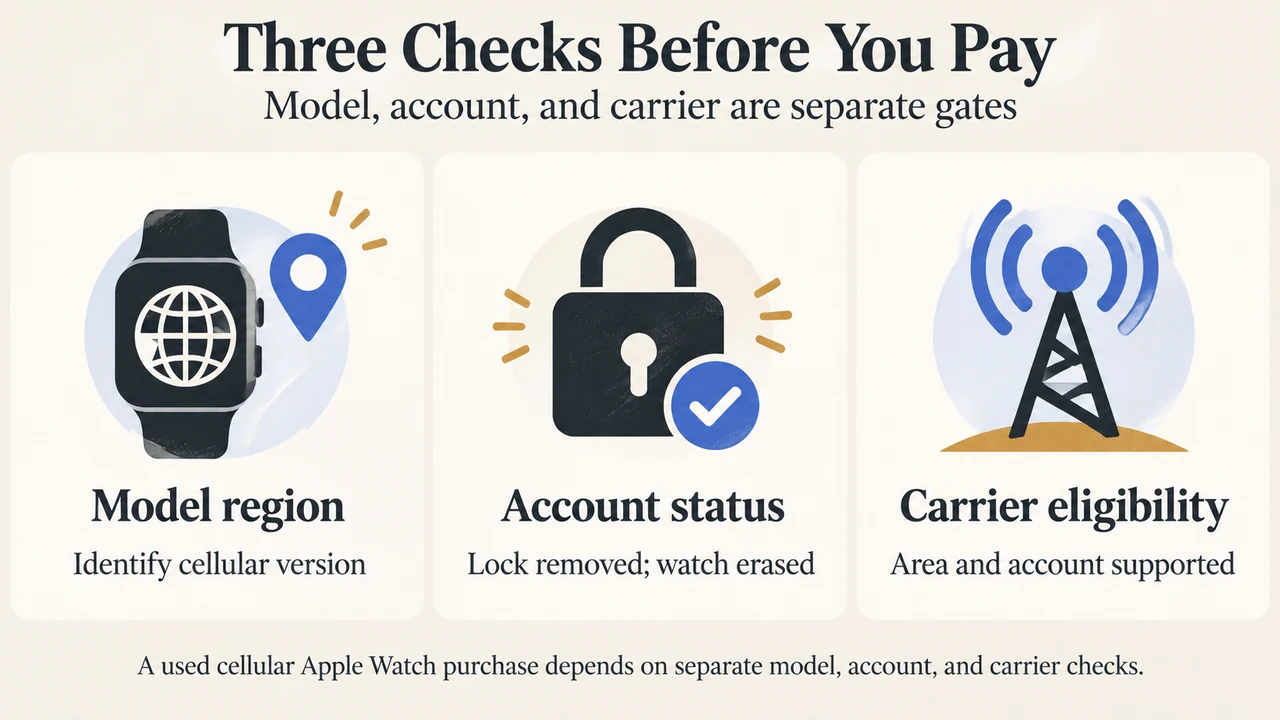
A used cellular Apple Watch is ready for a new owner only when its previous account and cellular service have been properly cleared. Before paying, identify the exact model, confirm that Activation Lock is off, check that the watch has been erased, verify that the previous cellular plan was removed and cancelled, and confirm that your carrier and region support the watch.
This checklist applies to used cellular Apple Watch models. It does not establish that every carrier supports every model or region. Apple says cellular models use regional versions for the Americas, China mainland, and Europe/Asia Pacific, and there is no single worldwide Apple Watch model supporting all cellular bands. See Apple’s cellular setup and regional compatibility guidance.
1. Identify the exact Apple Watch model
Ask the seller for the model details and compare them with Apple’s model-identification guidance. Do not treat the words “cellular” or “LTE” alone as proof that the watch will work with your carrier or in your country.
Apple documents regional cellular models for the Americas, China mainland, and Europe/Asia Pacific. The company also states that cellular service is not available in all areas or with all carriers. The exact model and intended region therefore matter before you pay.
2. Check Activation Lock before payment
The previous owner must remove Activation Lock by unpairing the watch and entering their Apple Account password. Apple says the watch should also be erased before a third-party purchase.
If the watch shows a passcode lock screen or the Home screen, Apple says it needs to be erased. If you can, try pairing it with your iPhone while the seller is present. If setup asks for the previous owner’s Apple Account password, Activation Lock is still enabled. Do not complete the purchase until the seller resolves that issue.
3. Confirm that the old cellular service is cleared
For a cellular model, ask the seller to show that the previous cellular plan was removed from the watch. Apple’s used-device guidance also says the previous owner should have cancelled any active cellular plan.
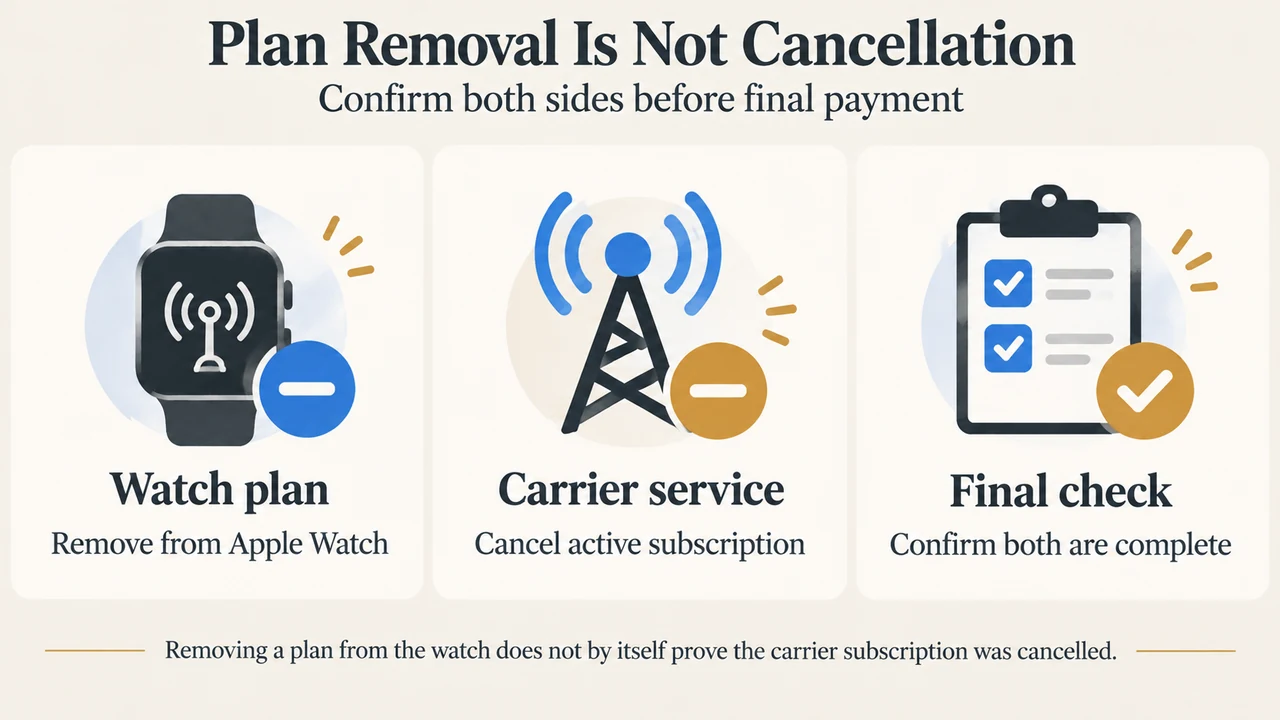
Removing a plan from the watch and cancelling a subscription are related but separate checks in Apple’s instructions. The seller may need to contact the carrier, and carrier fees may apply. Ask for confirmation of both steps before payment.
4. Check your carrier and account
Apple says your iPhone and Apple Watch must use the same carrier when setting up cellular service, except when the watch is set up using Apple Watch For Your Kids. The carrier must support Apple Watch cellular service in your area, and the account must be eligible.
Apple specifically notes that prepaid accounts and some older accounts may not be supported. Enterprise or corporate plans may also require confirmation from the company or carrier. Contact the carrier before buying if you are unsure about your account.
5. Check the setup boundary
Apple’s documented setup path is through the Apple Watch app on an iPhone: open My Watch, choose Cellular, and follow the carrier’s instructions. The watch and iPhone must use the same carrier for the ordinary setup case, and setup must occur within the carrier’s network.
This does not guarantee activation for a particular used watch. Carrier support, account eligibility, regional model differences, and the watch’s previous plan status can still affect the result. Apple directs readers to contact the carrier when an account or activation issue remains.
6. Use this final payment checklist
| Check | What to verify |
|---|---|
| Model | Exact Apple Watch model and cellular regional version are identified. |
| Account | Watch is erased and does not request the previous owner’s Apple Account password. |
| Activation Lock | Previous owner has unpaired the watch and removed Activation Lock. |
| Cellular plan | Previous plan is removed from the watch and the subscription is cancelled with the carrier. |
| Your carrier | Carrier supports Apple Watch cellular service in your area and your account is eligible. |
| Setup | You have an iPhone and can attempt pairing and cellular setup before finalising the purchase. |
Bottom line
The safest used cellular Apple Watch purchase is one where the exact model is known, Activation Lock is visibly cleared, the watch is erased, the old cellular plan is removed and cancelled, and your carrier confirms compatibility. If any of those checks cannot be completed, pause the purchase rather than assuming the watch can be activated later.
Research method and limitations: This article was prepared from the supplied public Apple Support and Apple Watch User Guide excerpts retrieved on September 19, 2026. The evidence covers the visible Apple documentation for used-device checks, cellular setup, carrier requirements, and regional models. It does not verify a particular seller, carrier, account, country, or watch. No hands-on, lab, benchmark, or comprehensive market review was performed. A supplied TechRadar page was reviewed only as competing coverage of the broader GPS-versus-cellular buying decision, not as technical authority.
Text version of the diagrams
- Three Checks Before You Pay: Model region — Identify cellular version; Account status — Lock removed; watch erased; Carrier eligibility — Area and account supported
- Plan Removal Is Not Cancellation: Watch plan — Remove from Apple Watch; Carrier service — Cancel active subscription; Final check — Confirm both are complete