Android 15 introduces Private Space, an operating-system-level feature designed to isolate sensitive applications and their associated data inside a dedicated sandboxed profile. Unlike conventional app lockers or surface-level launcher folders, Private Space relies on Android’s underlying multi-user framework to stop app execution and hide private profile data when locked.
Android 15 Multi-User Architecture and Profile Sandboxing
According to technical specifications published in the Android Open Source Project (AOSP) Private Space documentation, the feature is implemented as a specialized Android user profile. Android assigns this container the profile type android.os.usertype.profile.PRIVATE.
Key architectural properties documented by AOSP include:
- Single Instance on Main User: Only one instance of Private Space can exist on a device, and it can exist only for the main user profile. It cannot exist for secondary user accounts or within other profiles.
- Coexistence with Other Profiles: A private profile can operate alongside an existing work profile and a clone profile on the same device.
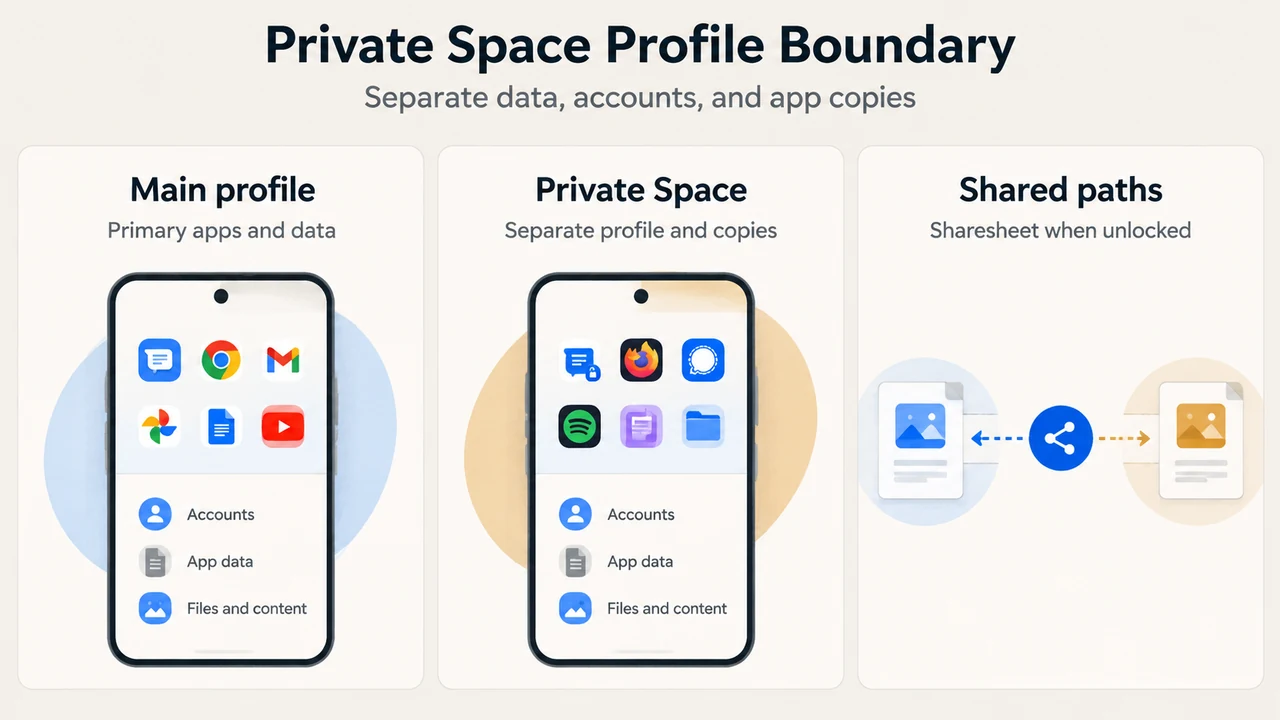
- Fresh App Installations: When an application is installed inside Private Space, the system handles it as an independent installation. No app data is copied over to the private space. Apps in the private space are installed as separate copies of apps in the main space.
- Data and Account Segregation: User accounts and user content (user-generated or downloaded) are kept strictly separated between the private space and the main space.
Lock, Unlock, and Hidden States
Private Space operates across three states: unlocked, locked, and hidden. The lifecycle transitions rely on quiet mode controls detailed in both the AOSP documentation and the Android 15 Behavior Changes guide.
When Private Space transitions to the locked state, Android stops the private profile user. All applications residing in the container are stopped. While locked:
- Applications in the private space cannot perform foreground or background activities.
- Apps in the private space cannot show notifications.
- Apps and their data are hidden from the system Recents view, notifications, Android Settings lists, Sharesheet menus, Photo Picker surfaces, and DocsUI.
- Default launchers hide private apps from standard app containers and search mechanisms.
When the user unlocks the container, the private profile user starts. Applications within the container regain the ability to run, and they become visible in Settings, Sharesheet options, Photo Picker, and DocsUI while the container remains unlocked.
The system also supports a hidden state. While standard locked configurations display an entry point in the launcher to unlock the container, the hidden state removes the container entry point from the launcher UI. When Private Space is locked, Settings apps must also not reveal the existence of the private space.
Cross-Profile Interactions and Intent Routing
Android strictly restricts interactions across the boundary separating the main user profile and the private profile:
- System File Pickers and Media: Content sharing across boundaries is restricted. Users can use the system Sharesheet and the Photo Picker to give apps access to content across spaces only when Private Space is unlocked.
- Telephony Intent Routing: Telephony intents are routed to the main user and display a notification.
- Non-Telephony Intent Routing: All other intents are limited to the private profile and are not redirected.
Documented Operational Restrictions and Medical App Warning
Because locking Private Space stops all underlying processes, Android platform documentation highlights critical operational constraints:
- Critical Alerting and Medical Apps: The setup workflow explicitly warns users that Private Space is not suitable for apps that need to perform critical foreground or background activities, such as showing notifications from medical apps. Because apps cannot determine whether they are running inside a private profile, they cannot show a warning to the user on their own.
- Launcher Requirements: Launcher apps must hold the default launcher role (
ROLE_HOME) and declare the normal permissionandroid.permission.ACCESS_HIDDEN_PROFILES. Launchers must maintain a separate container, useLauncherApps#getLauncherUserInfoto identify the private profile user, listen for profile broadcasts containing theEXTRA_USERconstant, and checkUserManager.isQuietModeEnabledor callrequestQuietModeEnabledto reflect locked and unlocked states. - App Market Integration: App stores intending to deliver apps into the container must declare an
<intent-filter>with theCATEGORY_APP_MARKETcategory to receive the implicit intent triggered by the container’s “Install Apps” button.
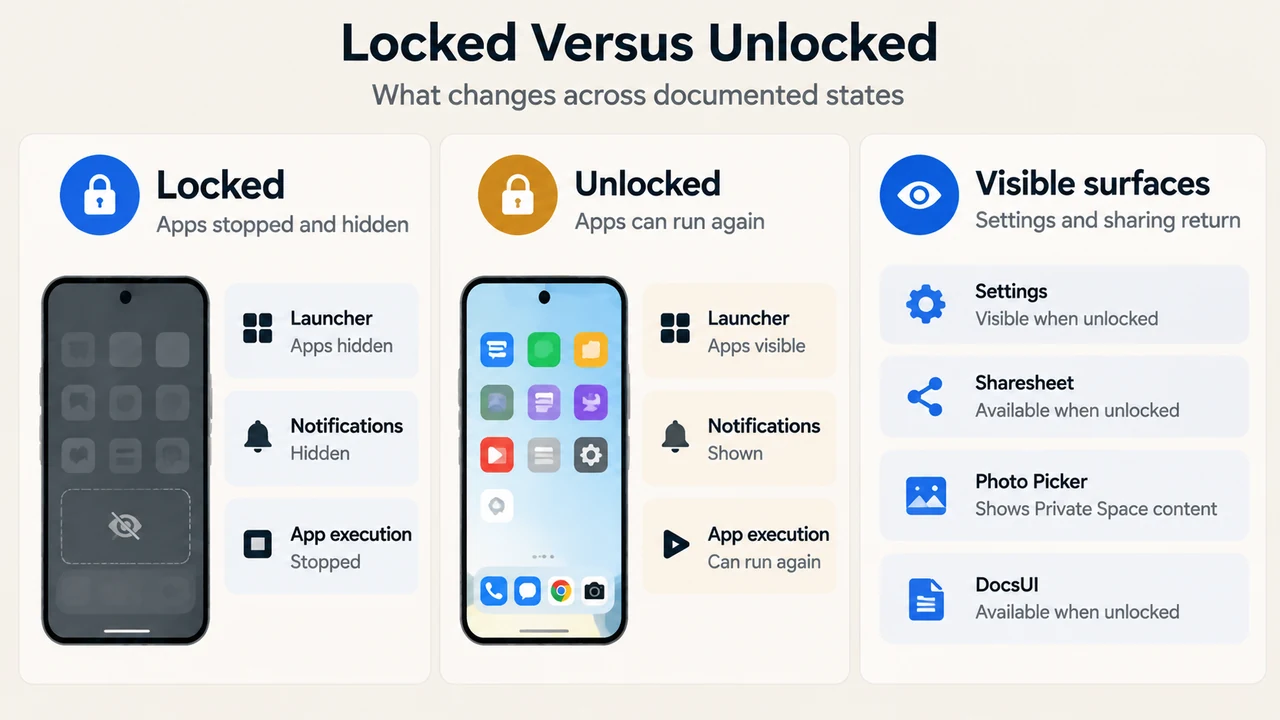
Text version of the diagrams
- Private Space Profile Boundary: Main profile — Primary apps and data; Private Space — Separate profile and copies; Shared paths — Sharesheet when unlocked
- Locked Versus Unlocked: Locked — Apps stopped and hidden; Unlocked — Apps can run again; Visible surfaces — Settings and sharing return
Research Methodology and Scope Limitations
This explainer was prepared exclusively from the supplied public primary technical documentation from the Android Open Source Project and Google’s Android Developer portal as retrieved on September 18, 2026. Material limits include the reliance on truncated passages from developer release notes and the absence of accessible competing coverage. The analysis does not include independent hands-on hardware testing or carrier customizations. Mentions of file transfer features introduced in Android 16 QPR2 and higher describe subsequent platform capabilities rather than baseline Android 15 initial release behavior.