WebMCP in Microsoft Edge 154 is an experimental web API for sites that want to register structured tools for an in-browser agent. Microsoft says its Edge implementation is ready for testing, while the Edge 154 release notes list WebMCP as an API that lets a site register tools for an in-browser agent to complete tasks on a user’s behalf.
This is a research-based overview for web developers deciding whether to investigate the preview. It does not claim that WebMCP is generally available, safe by default for every use case, or ready for production deployment.
What WebMCP is documented to do
Microsoft describes WebMCP as a web API that lets developers reuse existing front-end code and expose it as structured tools. A browsing agent can then use those tools to help users accomplish tasks on the site. The Edge 154 release notes describe the feature more briefly as a way for a site to register tools for an in-browser agent.
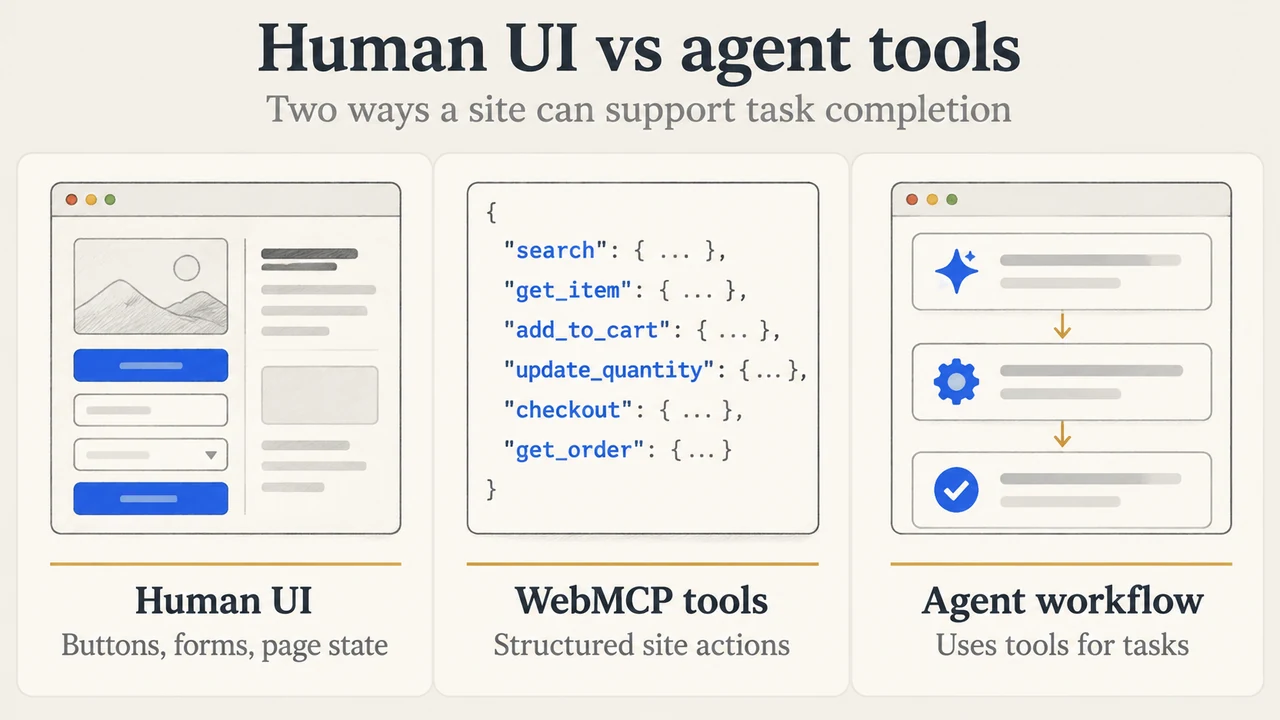
The practical distinction is between a page designed only for human interaction and a page that also declares tool functions for an agent. The supplied evidence does not define every supported tool type, browser compatibility condition, or production guarantee, so developers should treat the API surface as subject to change.
What Edge 154 changes for testing
Microsoft’s Edge developer post says that its WebMCP implementation is ready for testing. The same post says upcoming features can be tested locally or on a production website with users by registering for an origin trial. The supplied excerpt does not explicitly state that every WebMCP test path uses an origin trial, so that detail should be verified in the current Edge documentation before implementation.
The Edge 154 release notes list WebMCP under web platform features and identify it as an API for registering tools. The visible release-note excerpt does not provide a complete compatibility table, enrollment procedure, expiry date, or support commitment.
Security checks before exposing tools
Google’s WebMCP security guidance says that agents can be affected by indirect prompt injection because language models process text, instructions, and user data as a sequence of tokens. It also says that safety cannot be guaranteed inside a language model. This makes tool design and permission boundaries important parts of a developer review.
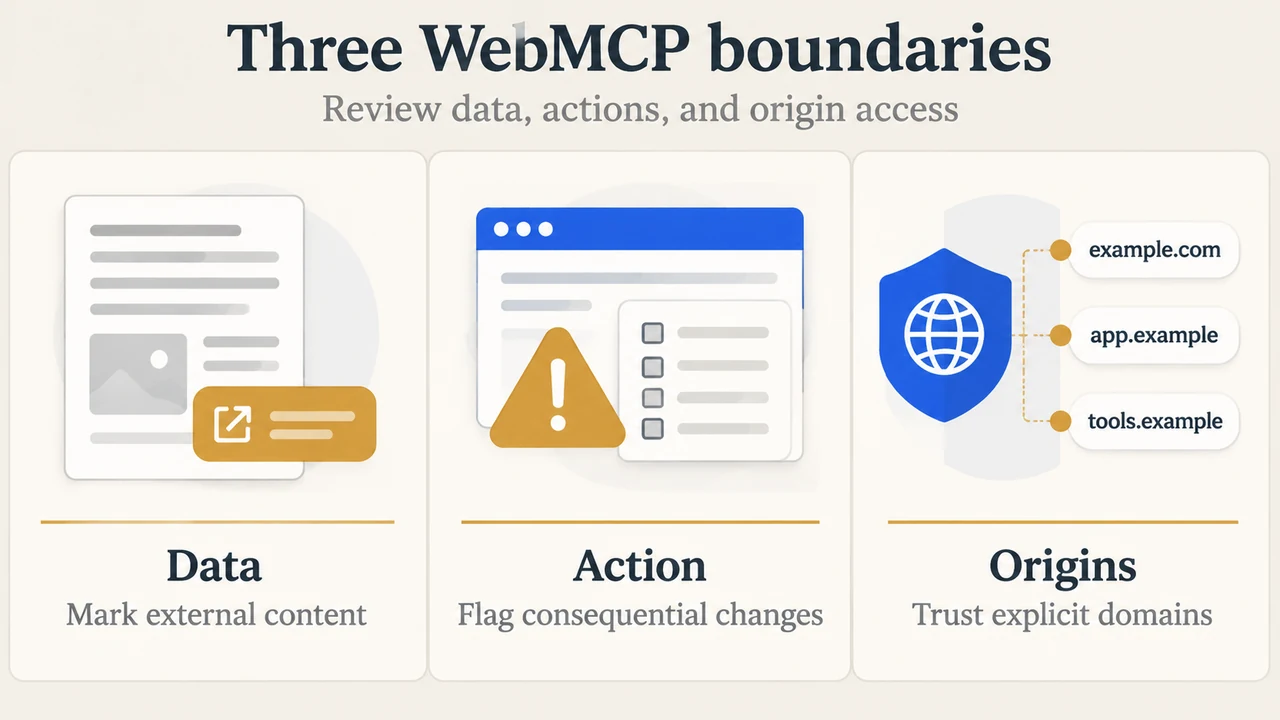
Classify the data and action
For tools that return user-generated content or externally sourced data, the guidance recommends using untrustedContentHint where appropriate. For significant or non-reversible actions, it recommends consequentialHint: true, so the agent or browser can request user confirmation before execution. For tools that do not change state, it recommends readOnlyHint.
Limit cross-origin exposure
The supplied security guidance says that, by default, other websites and cross-origin iframes cannot observe or interact with a site’s tools. A site can use the exposedTo option with specific origins when it needs to share a tool across origins. The guidance says to expose tools only to origins the site trusts, including for read-only tools that may reveal user information.
Keep tool descriptions bounded
The guidance recommends limits of 500 characters for a tool description, 150 characters for a parameter description, 30 characters for a tool or parameter name, and 1,500 characters for an individual tool output. It notes that agents may vary, so these limits may need adjustment based on feedback.
A narrow decision guide
WebMCP is worth investigating if your team needs structured tools that an in-browser agent can use on your site and can evaluate the resulting tool selection, parameters, and state changes. Start by identifying whether each tool is read-only, returns untrusted content, or performs a consequential action. Then define the origins that may access it and decide where user confirmation is needed.
Do not treat the Edge 154 listing as proof that every browser, agent, website workflow, or WebMCP feature is supported. The supplied Microsoft excerpts establish that the Edge implementation is ready for testing and that Edge 154 lists the API. They do not establish a complete production-readiness assessment.
Research method and limitations
This article was prepared only from the supplied public source excerpts retrieved on September 21, 2026. The Microsoft Edge developer post and release notes excerpts are truncated; the release-notes page also reported that access required authorization during retrieval. The Chrome pages supplied additional WebMCP security and evaluation context, but they document Chrome-oriented guidance rather than proving identical Edge behavior. No hands-on testing, lab measurement, benchmark, or comprehensive browser review was performed.
Text version of the diagrams
- Human UI vs agent tools: Human UI — Buttons, forms, page state; WebMCP tools — Structured site actions; Agent workflow — Uses tools for tasks
- Three WebMCP boundaries: Data — Mark external content; Action — Flag consequential changes; Origins — Trust explicit domains