How DisplayPort Alternate Mode Operates Over USB Type-C
Connecting a host device such as a laptop, tablet, or smartphone to an external display over USB Type-C often relies on DisplayPort Alternate Mode (“Alt Mode”). Published by the Video Electronics Standards Association (VESA in liaison with the USB 3.0 Promoter Group) in 2014, the standard uses the Alternate Mode functional extension of the USB Type-C specification. This mechanism allows compatible hardware to electrically repurpose high-speed differential signal lanes in the connection from standard SuperSpeed USB data transmission to native DisplayPort audio/video (A/V) packet transmission.
High-Speed Lane Allocations: 4-Lane vs. 2-Lane Configurations
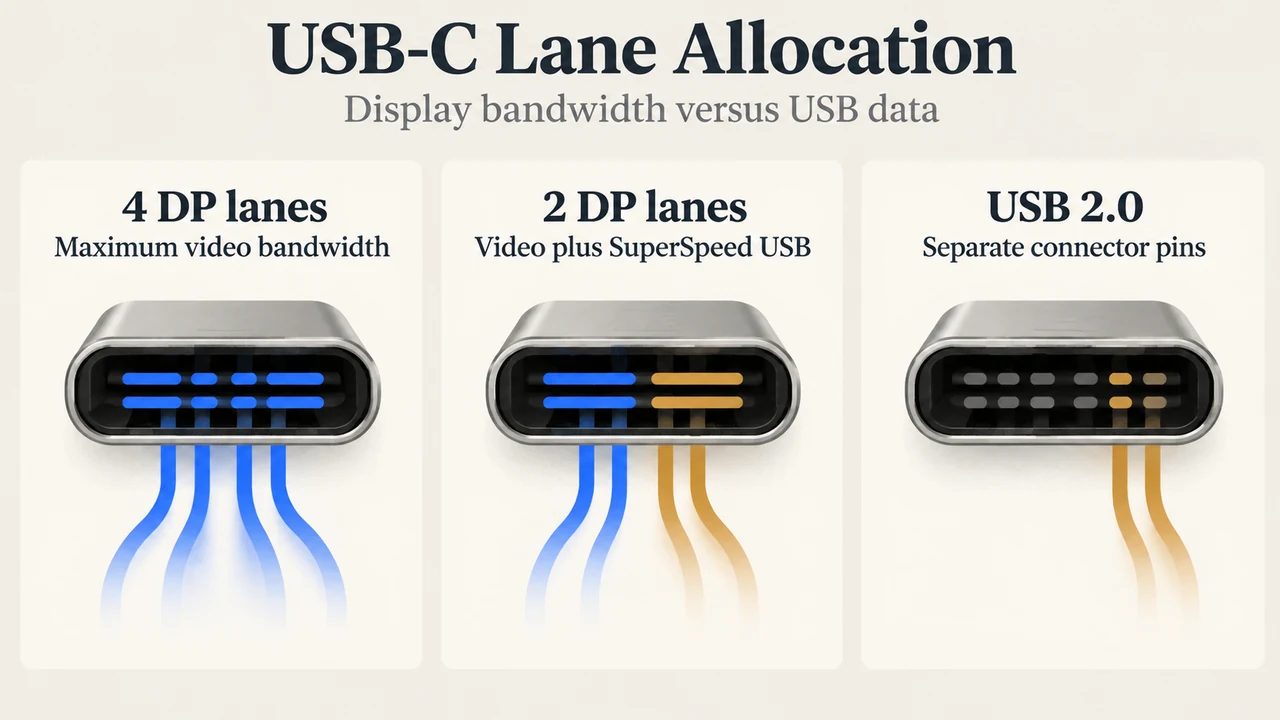
Both USB and DisplayPort employ packetized data structures across differential, AC-coupled physical signal lanes. In cables and connections equipped with four SuperSpeed USB lanes, DisplayPort Alt Mode can repurpose some or all of those high-speed lanes depending on display requirements and system architecture:
- 4-Lane DisplayPort Mode: Repurposing all four high-speed lanes provides maximum video throughput. Operating under DisplayPort 1.2a rates of 5.4 Gbps per lane across four lanes supports display resolutions up to 4K (4096 x 2160) at 60 Hz with up to 30-bit color. Under DisplayPort 1.3 link rates of 8.1 Gbps per lane, four lanes support displays up to 5K (5120 x 2880). In full 4-lane DisplayPort mode, USB 2.0 data can continue operating concurrently because USB 2.0 uses separate physical pins dedicated to that function within the connector.
- 2-Lane DisplayPort / 2-Lane SuperSpeed USB Mode: DisplayPort Alt Mode can alternatively allocate two lanes to video transport while reserving the other two lanes for simultaneous SuperSpeed USB data transfers at up to 10 Gbps in each direction. In a docking station scenario, running two DisplayPort lanes at 8.1 Gbps per lane supports a 4K UHD (3840 x 2160) display while maintaining concurrent 10 Gbps SuperSpeed USB peripheral connectivity. The specification also allows transmitting on a single lane when configured.
AUX Channel, Hot Plug Detection, and USB Power Delivery
DisplayPort relies on auxiliary sideband signaling alongside primary data transport. Under DisplayPort Alt Mode:
- AUX and HPD Signaling: DisplayPort Alt Mode uses other signaling lines available in the USB Type-C connector to carry DisplayPort’s bidirectional Auxiliary (AUX) channel and Hot Plug Detection (HPD) function.
- Power Delivery Scope: Under the 2014 standard announcement, a USB Type-C connection supporting DisplayPort Alt Mode can deliver native video, SuperSpeed USB data, and up to 100 watts of power over a single cable via the USB Power Delivery specification in effect at that time. VESA and the USB-IF also collaborated on joint port identification guidelines so users can identify compatible ports.
Display Adapters and Backward Compatibility
Source devices transmitting DisplayPort Alt Mode can interface with native DisplayPort displays via reversible USB Type-C-to-DisplayPort converter cables. In addition, video sources and multi-port docks can incorporate protocol converters to drive HDMI, DVI, or VGA displays while maintaining USB Type-C physical traits, including reversible plug orientation and cable direction.
Convergence in DisplayPort 2.1 and USB4
VESA updated display connectivity with the DisplayPort 2.1 specification, which is backward compatible with and supersedes DisplayPort 2.0. DisplayPort 2.1 aligns DisplayPort directly with the USB Type-C and USB4 PHY specifications to enable a common physical layer servicing both DisplayPort and USB4.
DisplayPort 2.1 includes several bandwidth management and cable enhancements:
- DisplayPort Bandwidth Management: Allows tunneled DisplayPort traffic to coexist more efficiently with other I/O data streams across a USB4 link.
- Display Stream Compression (DSC): Mandates support for the visually lossless DSC codec, reducing DisplayPort transport bandwidth consumption by more than 67 percent without visual artifacts.
- Panel Replay: Reduces DisplayPort tunneling packet transport bandwidth by more than 99 percent during active Panel Replay operation.
- UHBR Cable Tiers: Defines certified DP40 cables supporting up to the UHBR10 link rate (10 Gbps per lane, reaching 40 Gbps across four lanes) and certified DP80 cables supporting up to the UHBR20 link rate (20 Gbps per lane, reaching 80 Gbps across four lanes). These UHBR cable standards apply across full-size DisplayPort, Mini DisplayPort, and USB Type-C connector implementations.
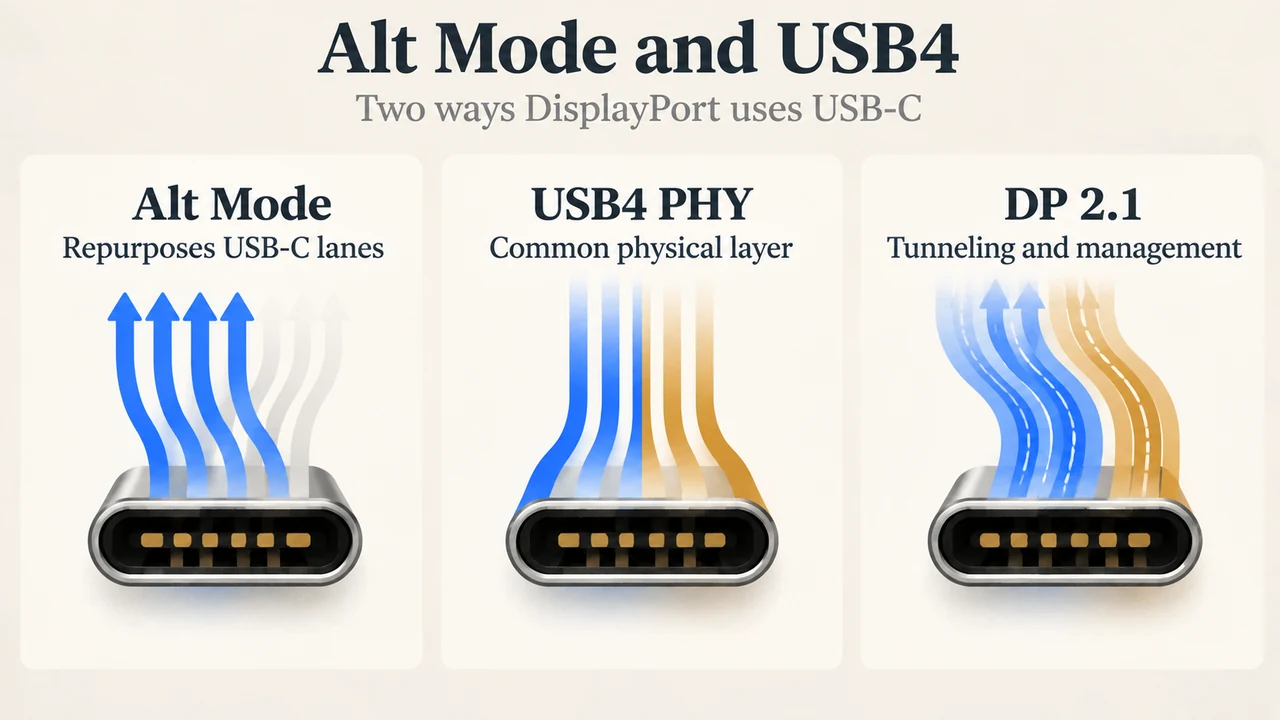
Text version of the diagrams
- USB-C Lane Allocation: 4 DP lanes — Maximum video bandwidth; 2 DP lanes — Video plus SuperSpeed USB; USB 2.0 — Separate connector pins
- Alt Mode and USB4: Alt Mode — Repurposes USB-C lanes; USB4 PHY — Common physical layer; DP 2.1 — Tunneling and management
Research Methodology and Limitations
This explainer was prepared solely from two public technical press announcements published by VESA: “VESA Brings DisplayPort to New USB Type-C Connector” (September 22, 2014) and “VESA Releases DisplayPort 2.1 Specification” (October 17, 2022). Competing coverage and independent lab benchmarks were not accessible in the supplied evidence. The underlying sources outline architectural lane allocations, signaling functions, and cable ratings; they do not disclose individual alphanumeric pin assignments (such as CC or SBU pin numbers), wiring schematics, or power delivery negotiation packet sequences. Cable capabilities vary across implementations, and the 100-watt power delivery figure reflects the original 2014 specification context.