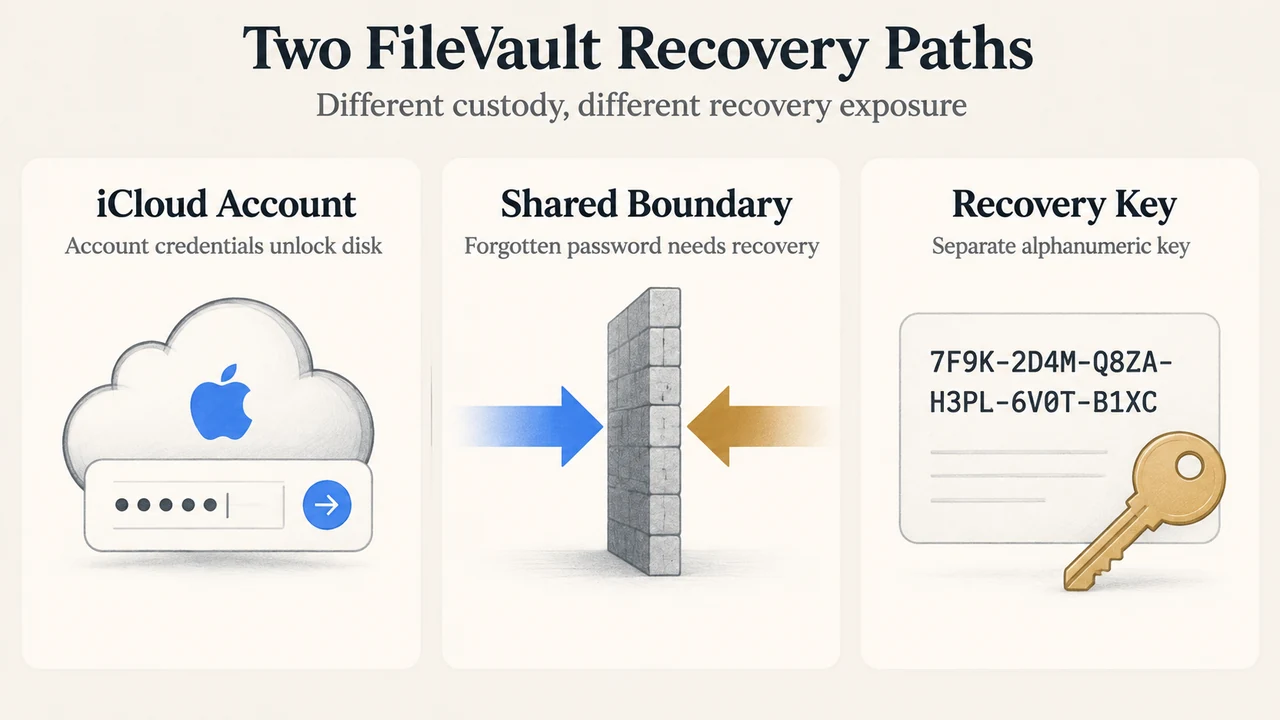
When turning on FileVault full-disk encryption on a Mac, administrators must choose how the startup disk can be unlocked if the primary login password is forgotten. According to Apple’s official Mac User Guide, users are presented with two primary recovery mechanisms: using an iCloud account or generating an independent recovery key. Each option establishes different custody models, operational trade-offs, and data recovery boundaries.
Overview of FileVault and Encryption Defaults
FileVault provides full-disk encryption for macOS startup disks, preventing unauthorized decryption or data access without valid credentials. On Mac computers equipped with Apple silicon or the Apple T2 Security Chip, storage data is encrypted automatically by the hardware. On these devices, enabling FileVault adds an additional layer of security by requiring a login password to decrypt or access data. In contrast, on Mac models lacking Apple silicon or a T2 chip, enabling FileVault is required to encrypt the drive data.
Setting up FileVault requires administrator privileges on macOS. When activated in Apple menu > System Settings > Privacy & Security > FileVault, the system prompts the administrator to select a recovery path before encryption protection is finalized.
Option 1: iCloud Account Disk Unlock
The first option integrates recovery with an Apple account. In macOS settings, this corresponds to selecting either “Allow my iCloud account to unlock my disk” (if iCloud is active) or “Set up my iCloud account to reset my password” (if iCloud is not yet configured).
Key operational characteristics documented by Apple include:
- Convenience: Users do not need to store, track, or manage a separate physical or printed alphanumeric string.
- Linked Recovery: If the user forgets their local login password, their iCloud account credentials serve as the mechanism to unlock the disk and reset the local password.
- Target Audience: Designed primarily for personal users seeking minimal administrative overhead who already maintain an active iCloud account.
Option 2: Personal Recovery Key (PRK)
The alternative configuration is selected by choosing “Create a recovery key and do not use my iCloud account.” Rather than tying disk unlocking to online Apple account credentials, macOS generates a standalone key.
Documented security practices and operational boundaries include:
- Key Composition: The recovery key is generated by the system as a string of letters and numbers.
- Custody Requirement: The user must record the exact sequence of letters and numbers shown. Apple explicitly notes that this key must be kept somewhere other than the encrypted startup disk.
- Physical Location Boundary: Apple cautions that the key must be kept in a safe, memorable location, but not in the same physical location as the Mac where unauthorized individuals could discover it.
- Permanent Loss Risk: If a user enables FileVault with a recovery key, forgets their login password, cannot reset it, and loses or forgets the recovery key, access cannot be restored. Apple issues an explicit warning that files and settings will be permanently lost under these conditions.
Institutional Management and Device Management Capabilities
For organizations, Apple notes that if a Mac is deployed at a business or school, the institution can also set a recovery key to unlock the computer. Further administrative controls are documented in Apple’s platform deployment guides, including the Apple Platform Deployment Guide, which outlines configuration payloads for institutional FileVault policies and token management in managed device environments.
Multi-User Account Behavior
When FileVault is enabled on a Mac with multiple user accounts, Apple documentation confirms that each user’s information is encrypted. Permitted users unlock the encrypted disk using their personal login passwords. If the setup interface displays an “Enable Users” option, an administrator must enter a specific user’s login password before that account is authorized to unlock the encrypted disk.
Comparison: iCloud Account Unlock vs. Recovery Key
| Feature / Consideration | iCloud Account Unlock | Personal Recovery Key |
|---|---|---|
| Authentication Factor | iCloud account and password | Generated alphanumeric key string |
| Key Management | Managed through Apple/iCloud account | Self-managed by user or managed by institution |
| Custody Location | Linked online account credentials | Must be kept off the Mac and away from its physical location |
| Data Loss Consequence | Requires access to iCloud credentials | Files and settings are permanently lost if password and key are lost |
| Institutional Support | Personal account focus | Supported for business/school institutional unlock settings |
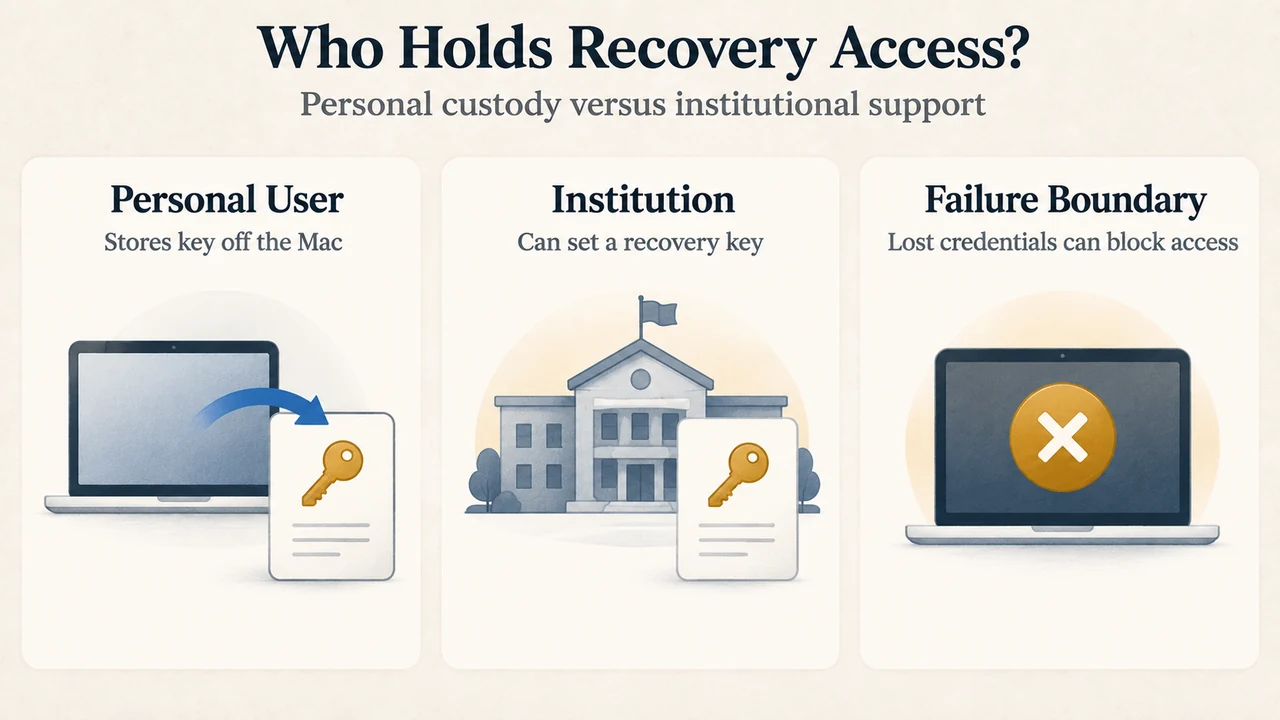
Text version of the diagrams
- Two FileVault Recovery Paths: iCloud Account — Account credentials unlock disk; Shared Boundary — Forgotten password needs recovery; Recovery Key — Separate alphanumeric key
- Who Holds Recovery Access?: Personal User — Stores key off the Mac; Institution — Can set a recovery key; Failure Boundary — Lost credentials can block access
Research Methodology and Limitations
This explainer was prepared exclusively from publicly accessible Apple technical documentation, including the macOS User Guide and the Apple Platform Deployment Guide. No hands-on testing, laboratory speed trials, or physical device benchmarks were conducted. Furthermore, no third-party competitor pages were available for comparative SERP evaluation. This guide covers the configuration options and warnings documented by Apple for supported macOS versions, and does not evaluate unverified workarounds or undocumented low-level cryptanalysis.