Platform Scope and Target Hardware
ChromeOS and ChromeOS Flex share underlying software technology and administrative tools. ChromeOS Flex provides many of the features and benefits of ChromeOS when installed on Windows, Mac, or Linux computers. However, ChromeOS is available only on dedicated hardware: Chromebooks, Chromeboxes, and Chromebases. In contrast, ChromeOS Flex is designed for existing x86-based third-party computers.
Because ChromeOS Flex operates on third-party hardware, documented differences exist across processor support, boot integrity, firmware maintenance, application environments, administrative management settings, and peripheral functionality.
Hardware Compatibility and Peripheral Boundaries
Deployment of ChromeOS Flex is subject to specific hardware boundaries documented by Google:
- Processor Architecture: ChromeOS Flex can run on most computers with Intel or AMD processors. ChromeOS Flex does not support ARM architecture. Specific minimum RAM or storage requirements are not stated in the reference text.
- Certified Models Guarantee: Google tests and maintains an official list of certified Windows, Mac, and Linux models. Google guarantees only the models on this list. While non-certified computers might work, only certified models enrolled in the Google Admin console qualify for official support.
- Keyboard Behavior: ChromeOS Flex devices keep their original operating system keyboard layout and shortcuts rather than using a ChromeOS keyboard layout. Consequently, some keyboard shortcuts or printed function keys do not work the same as on Chromebooks, or they may be irrelevant if specific to another operating system.
- Unsupported Ports and Features: Several hardware capabilities are not officially supported or maintained on ChromeOS Flex, even if they physically operate on a machine. These include CD and DVD drives, fingerprint readers, FireWire ports, infrared (IR) and face recognition cameras, proprietary connectors and docks, stylus and active pen input, built-in Micro SIM card slots, and Thunderbolt functionality. However, Thunderbolt ports using USB-C or Mini-DisplayPort can still be used for supported USB3, USB4, and DisplayPort features.
- Performance Variations: Google cannot guarantee the same performance standards on ChromeOS Flex as on dedicated ChromeOS devices. Factors such as boot speed, battery life, and power savings vary by model.
Boot Security Architecture and Encryption Keys
The security features of ChromeOS Flex differ from ChromeOS devices due to differences in underlying hardware:
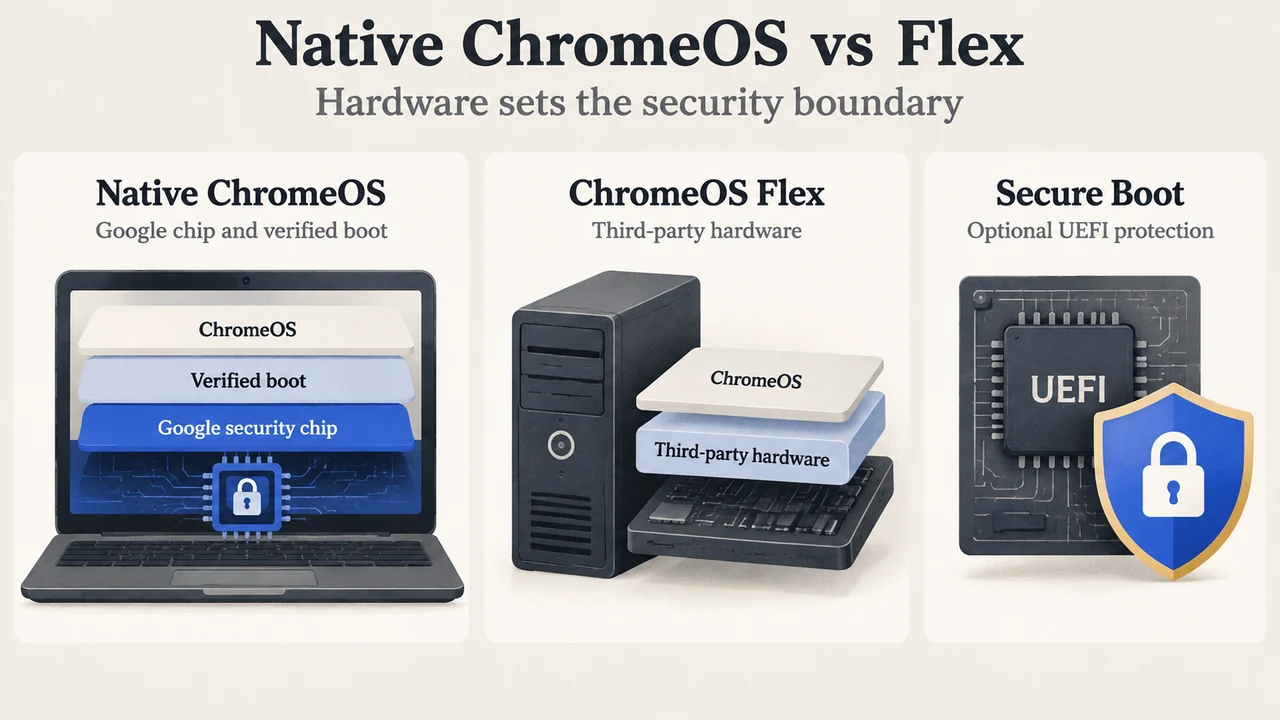
- Verified Boot and Security Hardware: ChromeOS devices contain a Google security chip that helps protect the system and verify that hardware and the operating system are trusted. Because ChromeOS Flex devices do not contain a Google security chip, the ChromeOS verified boot procedure is not available on them.
- Optional UEFI Secure Boot Alternative: As an alternative, Microsoft reviewed and approved ChromeOS Flex’s bootloader to optionally support UEFI Secure Boot. Google recommends turning on Secure Boot on all ChromeOS Flex devices. While Secure Boot cannot provide the security guarantees of ChromeOS verified boot, it maintains the same boot security as Windows devices by preventing unknown third-party operating systems from booting on ChromeOS Flex devices.
- Encryption and TPM Protection: Like ChromeOS, ChromeOS Flex automatically encrypts user data. However, not all ChromeOS Flex computers contain a supported Trusted Platform Module (TPM) to protect encryption keys at a hardware level. Without a supported TPM, user data remains encrypted, but it might be more vulnerable to attack.
- Device Trust Connector: ChromeOS Flex supports the device trust connector to send device signals to third-party identity providers. However, because Flex hardware lacks the Google security chip, the signals sent do not include the strong hardware-backed attestation available on standard ChromeOS devices, resulting in lower cryptographic assurance of device integrity.
Firmware Maintenance Boundaries
Unlike ChromeOS devices, ChromeOS Flex devices do not manage or automatically update their BIOS or UEFI firmware. Instead, original equipment manufacturers (OEMs) provide firmware updates. These update procedures vary by model and must be managed by device administrators.
Supported Virtual Machines and Application Environments
Application support on ChromeOS Flex is defined by several explicit boundaries:
- Android Applications: ChromeOS Flex supports the deployment of some Android VPN apps. General Google Play or wider Android app capabilities are not detailed in the supplied text.
- Windows Virtualization: ChromeOS Flex does not support running Windows virtual machines using Parallels Desktop.
- Linux Development Environment: Support for the Linux development environment on ChromeOS Flex varies depending on the specific computer model.
Enterprise Device Management Boundaries
Administrators configuring ChromeOS Flex in the Google Admin console encounter specific management boundaries:
- Enrollment Methods: ChromeOS Flex does not support zero-touch enrollment. Administrators can enroll ChromeOS Flex devices manually in the same way ChromeOS devices are enrolled, or use ChromeOS Flex automatic enrollment with a USB installer or PXE boot.
- Preventing Unauthorized Wipes: Because ChromeOS underlying firmware and hardware were not originally designed for ChromeOS Flex, devices do not support forced re-enrollment. Google recommends preventing unauthorized users from wiping devices by setting a secure BIOS or UEFI administrator password and disabling external bootable media after installation.
- Verified Access and Verified Mode Policies: Because ChromeOS Flex devices lack a Google security chip and cannot use verified boot, policies for Verified access and Verified mode might not behave as expected, and services requiring them might fail or report errors. When configuring Verified access and Verified mode specifically for ChromeOS Flex devices, Google recommends moving Flex devices to an organizational unit that does not contain ChromeOS devices so that settings for ChromeOS devices remain unaffected.
- SCEP Certificate Profiles: Simple Certificate Enrollment Protocol (SCEP) is supported on ChromeOS Flex. When adding and configuring a SCEP profile in the Admin console, administrators must select the “Relaxed” security option.
- Rollback and Update Channels: Version rollback is currently unsupported on ChromeOS Flex. Google recommends using the Long-term Support (LTS) channel to ensure optimal application compatibility.
Documented ChromeOS Flex Features and Documented ChromeOS Contrasts
The following table lists the documented capabilities of ChromeOS Flex alongside the specific ChromeOS comparisons explicitly stated in the source text:
| Feature / Area | Documented ChromeOS Baseline | Documented ChromeOS Flex Behavior |
|---|---|---|
| Target Devices | Only available on Chromebooks, Chromeboxes, and Chromebases | Installs on Windows, Mac, or Linux computers (Intel or AMD processors; ARM unsupported) |
| Boot Verification Mechanism | ChromeOS verified boot backed by a Google security chip | Verified boot unavailable (no Google security chip); optionally supports Microsoft-approved UEFI Secure Boot (recommended) |
| BIOS / UEFI Firmware Updates | Managed and automatically updated by ChromeOS devices | Not managed or automatically updated by ChromeOS Flex; updates provided by OEMs and managed by admins |
| Data Encryption & TPM Keys | Automatically encrypts user data | Automatically encrypts user data; hardware TPM protection of keys depends on whether model has a supported TPM |
| Device Trust Connector Attestation | Provides strong hardware-backed attestation | Supported, but signals lack strong hardware-backed attestation |
| Android App Support | Unaddressed in supplied excerpts | Supports deployment of some Android VPN apps |
| Parallels Desktop Windows VMs | Unaddressed in supplied excerpts | Not supported |
| Linux Development Environment | Unaddressed in supplied excerpts | Support varies depending on the specific model |
| Zero-Touch Enrollment | Unaddressed in supplied excerpts | Not supported (manual enrollment or Flex automatic enrollment via USB or PXE boot) |
| Forced Re-enrollment | Supported on native ChromeOS devices | Not supported because ChromeOS underlying firmware and hardware were not originally designed for ChromeOS Flex; admins are advised to use BIOS/UEFI passwords and disable external bootable media |
| Verified Access & Verified Mode Policies | Relies on Google security chip and verified boot; unaffected if isolated | Policies may fail or not behave as expected; separate organizational unit recommended |
| SCEP Certificate Profiles | Unaddressed in supplied excerpts | Supported when configuring security setting as Relaxed |
| Version Rollback | Unaddressed in supplied excerpts | Currently unsupported (LTS channel recommended) |
Research Method and Limitations
This comparison was prepared exclusively from the supplied public support documentation published by Google (specifically ChromeOS Flex help articles on platform differences and certified models retrieved September 2026). No independent lab testing, performance benchmarking, or hands-on hardware installations were conducted. The supplied primary excerpts do not provide technical specifications for standard ChromeOS regarding general Android or Google Play support, Parallels Desktop, the Linux development environment, zero-touch enrollment, SCEP profiles, or version rollback; these aspects are therefore documented solely as unaddressed baselines. Furthermore, the certified models list excerpt was partially truncated, limiting verification of specific OEM model lifecycles to visible entries, and competing external articles were unavailable for review.
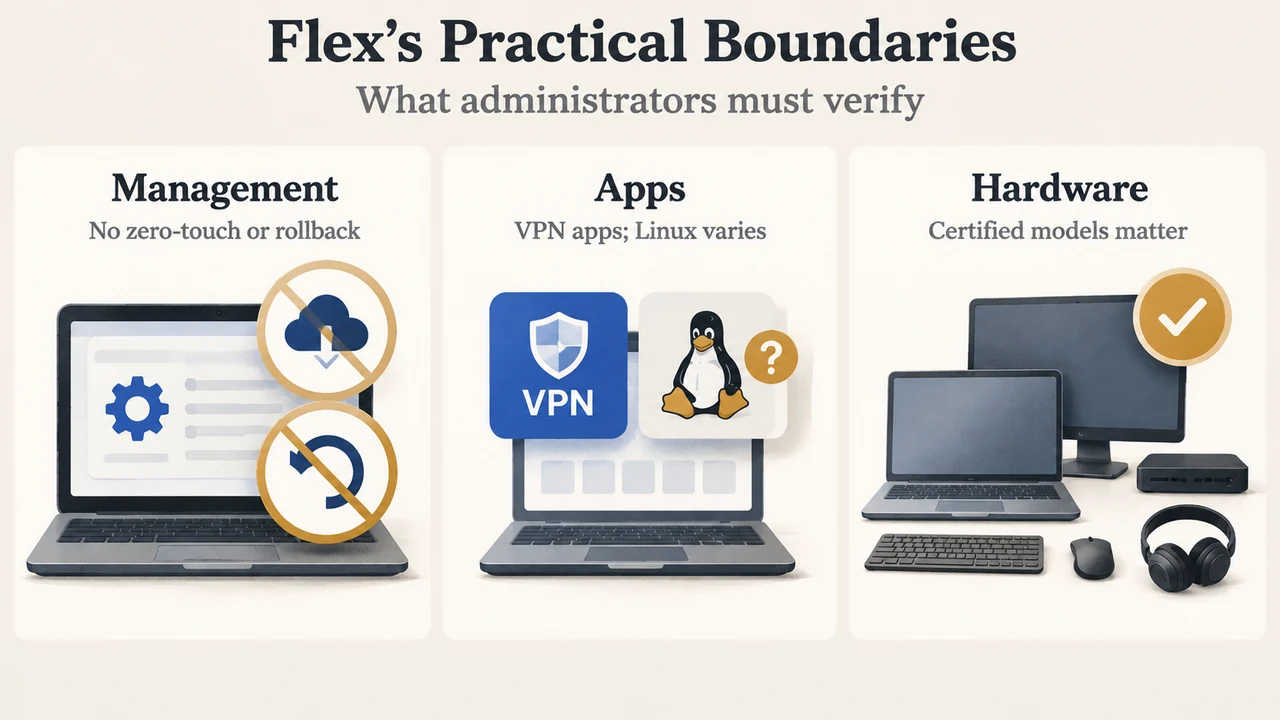
Text version of the diagrams
- Native ChromeOS vs Flex: Native ChromeOS — Google chip and verified boot; ChromeOS Flex — Third-party hardware; Secure Boot — Optional UEFI protection
- Flex’s Practical Boundaries: Management — No zero-touch or rollback; Apps — VPN apps; Linux varies; Hardware — Certified models matter