How Pixel Watch Loss of Pulse Detection Works
Loss of Pulse Detection is an emergency safety feature available on Google Pixel Watch 3 and higher. According to Google’s official Pixel Watch support documentation, the feature monitors heart rate signals while worn to detect a potential loss of pulse, automatically attempting to contact emergency services if the wearer does not respond.
Loss of pulse refers to the absence of a detectable pulse, which usually results in a loss of consciousness and requires urgent emergency intervention. Potential causes include cardiac arrest, respiratory or circulatory failure, overdose, or poisoning.
Sensor Operation and Signal Readings
Loss of Pulse Detection relies on optical heart-rate sensors on the back of the watch to detect pulse by reading changes in arm blood volume when the heart beats, alongside motion sensors on the watch.
Google notes that normal day-to-day activities can cause poor pulse sensor readings and trigger a check-in when help is not needed. Several factors can affect photoplethysmography (PPG) signal quality and cause unexpected check-ins, including individual variability, motion artifacts, ambient light, and applied pressure to the skin.
Alert, Countdown, and Dispatch Stages
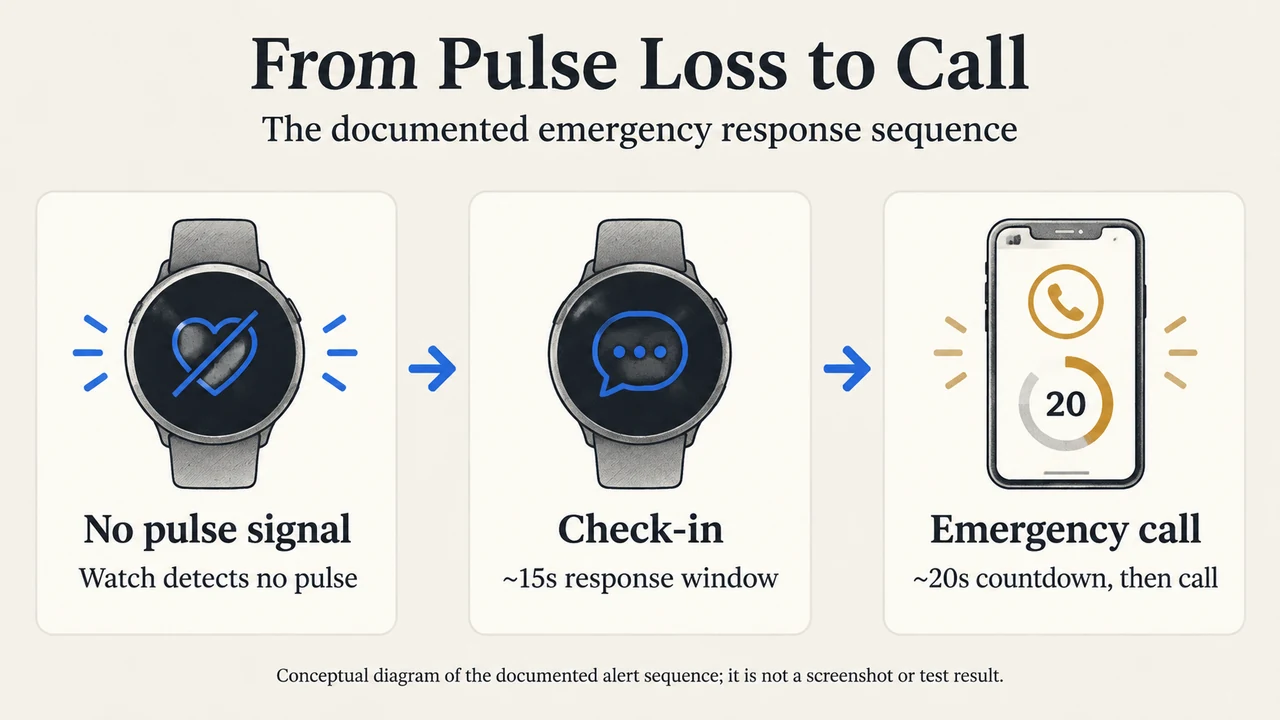
When a pulse is not detected while the watch is worn, the system progresses through distinct stages before placing an emergency call:
- Check-in notification (~15 seconds): The watch vibrates and shows a fullscreen check-in asking if the wearer is okay. The wearer can dismiss it by tapping I’m OK. If the watch detects movement or a pulse, the check-in dismisses automatically.
- Emergency countdown (~20 seconds): If the wearer does not respond during the initial ~15-second notification, the watch plays a loud sound, continues vibrating, and starts an emergency countdown. The wearer can tap the X button to dismiss it. Unlike the check-in stage, moving your wrist does not cancel the emergency countdown.
- Emergency call placement: If the countdown is not dismissed, the watch attempts to call emergency services. If connected, it plays an automated message sharing location and informing the operator that a pulse was not detected and no response was received. This automated message is not audible to the user or bystanders.
- Optional open call: Tapping the button at the bottom of the screen stops the automated message, allowing the wearer or a bystander to speak with emergency dispatch via the watch microphone and hear dispatchers through the watch speaker until either party hangs up.
If an emergency call is placed by mistake, Google instructs users not to hang up, but to inform the emergency operator that the call was accidental and assistance is not required.
Connectivity and Hardware Requirements
Calling emergency services is dependent on call functionality, such as the phone or watch being charged and having adequate cellular connectivity. Contact with emergency services is not guaranteed, not all calls may connect, and emergency calls require a mobile network connection and do not guarantee emergency responders will respond. Operating via radio signals means connections cannot be guaranteed in all conditions.
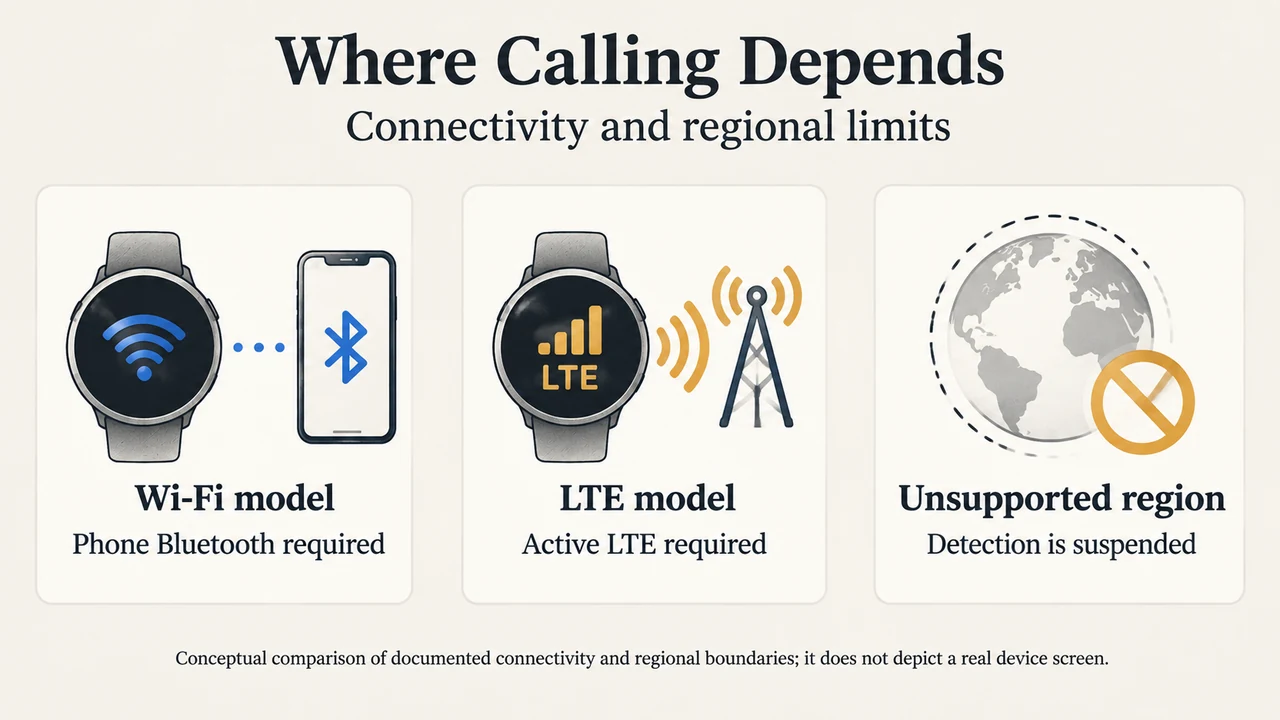
- Pixel Watch Wi-Fi: Needs to be in range of the phone and connected via Bluetooth for the phone to call emergency services. Users cannot speak to emergency services from the watch if it is not connected to the phone via Bluetooth. Calls may fail if the phone is connected to a weak mobile network or is in an ongoing call.
- Pixel Watch LTE: Requires an active LTE connection on the watch to call emergency services. Certain regions require an active LTE carrier or Safety Signal.
Setup and Regional Availability
Loss of Pulse Detection requires the following setup steps:
- Open the Google Pixel Watch app on your phone.
- Tap Safety & emergency > Loss of Pulse Detection. (If located in a supported region but the setting is missing, update the Personal Safety app on the watch and the Pixel Watch app on the phone.)
- Follow the on-screen instructions. The user must be signed in to Personal Safety with their Google Account on the Pixel Watch.
The feature can be turned off at any time via the Google Pixel Watch app under Safety & emergency > Loss of Pulse Detection by toggling the slider.
Loss of Pulse Detection is available only in select regions: Austria, Belgium, Canada, Denmark, France, Germany, Ireland, Italy, Netherlands, Norway, Portugal, Spain, Sweden, Switzerland, the United Kingdom, and the United States, with additional countries added as regulatory clearance is obtained. If the wearer travels to an unsupported region, the feature is temporarily suspended—it will not detect loss of pulse or call emergency services—and automatically resumes upon returning to a supported region.
Health and Diagnostic Limitations
Loss of Pulse Detection is subject to clear safety and health limitations:
- Not for all users: It is not intended for anyone under 22 years of age or for individuals identified by healthcare professionals as high risk for sudden cardiac death (such as those with coronary artery disease, cardiomyopathy, or unexplained syncope).
- No medical monitoring: It does not replace real-time or continuous cardiac or pulse monitoring devices prescribed by healthcare professionals.
- No cause determination or prediction: The feature may not always detect a loss of pulse, and it cannot predict or determine the cause of pulse loss.
- No clinical diagnosis: A check-in does not serve as a diagnosis, indicate the presence or lack of an underlying health issue, or suggest the need for medical care. Users should consult healthcare providers regarding health concerns and before changing medication or appointments.
- Distinct from AFib screening: Loss of Pulse Detection and Irregular Rhythm Notifications are separate features on the Pixel Watch.
Data Collection and Storage
When Loss of Pulse Detection is used, data is stored on Google servers to ensure safe and effective use. This includes data about how the feature is used, as well as heart rate and movement data if a loss of pulse is detected. This data is not sold or used for ads. Users can request to see collected data by contacting Customer Support. Turning the feature off does not automatically delete collected data, but data can be deleted by deleting the Google Account.
Research Method and Limitations
This explainer was prepared directly from publicly available Google Pixel Watch support documentation. Material limitations include reliance on a single primary vendor support excerpt without independent hands-on testing, clinical validation trials, or competing coverage.
Text version of the diagrams
- From Pulse Loss to Call: No pulse signal — Watch detects no pulse; Check-in — ~15s response window; Emergency call — ~20s countdown, then call
- Where Calling Depends: Wi-Fi model — Phone Bluetooth required; LTE model — Active LTE required; Unsupported region — Detection is suspended