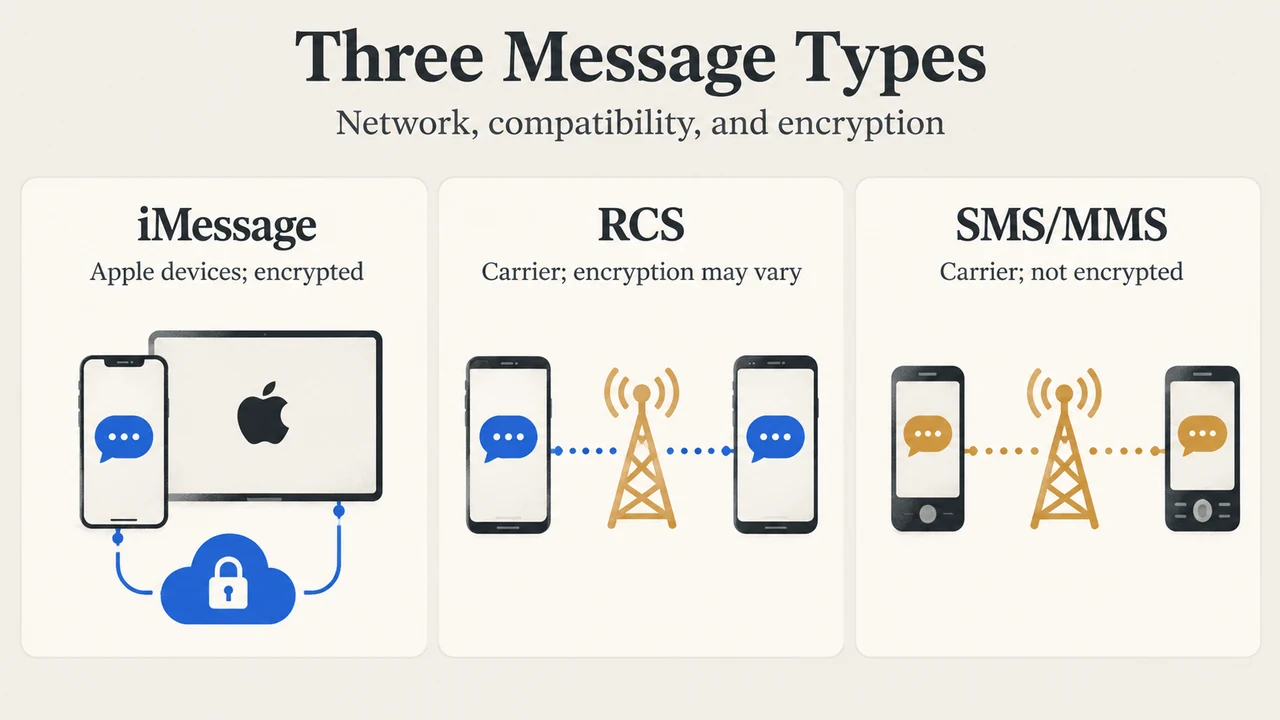
The Messages app on Apple devices sends messages as iMessage, Rich Communication Services (RCS), or SMS/MMS. While iMessage provides messaging between Apple devices over Wi-Fi or cellular-data networks, RCS and SMS/MMS allow communication with non-Apple devices as well as secondary Apple devices with Text Message Forwarding turned on. Because RCS and SMS/MMS are carrier-provided services, their availability, authentication requirements, and security characteristics depend on wireless carrier support and your iOS version.
Carrier Prerequisites and Activation
Unlike iMessage, which is configured in the Settings app under Apps > Messages and operates over Wi-Fi or cellular-data networks, RCS is a carrier-provided service. To use standard RCS on iPhone, you need:
- An iPhone running iOS 18 or later.
- A text-messaging plan from a carrier that supports RCS on iPhone.
When your device connects to your cellular network, it communicates with your carrier and their partners to set up RCS. User identifiers are exchanged so the carrier and their partners can authenticate your device and provide a connection. According to Apple Support documentation, these identifiers include your phone number and, depending on your carrier, your current IP address. Additionally, there may be a delay of a few hours in activating RCS.
Feature Comparison: iMessage, RCS, and SMS/MMS
The Messages app presents messages in blue or green bubbles depending on the message type, supported features, and security indicators.
| Feature / Attribute | iMessage | RCS | SMS / MMS |
|---|---|---|---|
| Bubble Color | Blue | Green | Green |
| Recipient Compatibility | Another iPhone or another Apple device (iPad, Mac, Apple Watch, Apple Vision Pro) | Non-Apple devices; another iPhone or Apple device with Text Message Forwarding turned on | Non-Apple devices; another iPhone or Apple device with Text Message Forwarding turned on |
| Supported Content & Signals | Texts, high-resolution photos and videos, documents, links, Tapbacks, text effects, Live Stickers, message effects, delivery and read receipts, typing indicators | Texts, high-resolution photos and videos, links, delivery and read receipts, typing indicators | Texts, photos and videos, links |
| Network Dependency | Wi-Fi or cellular-data networks (cellular data rates might apply if Wi-Fi is unavailable) | Carrier-provided service requiring a cellular network connection and supported carrier plan | Carrier-provided service requiring a cellular network connection and supported carrier plan |
| Exchanged Identifiers | Not detailed in the source excerpt | Phone number and, depending on your carrier, current IP address | Could include, but are not limited to, IMEI, IMSI, current IP address, and phone number |
| End-to-End Encryption | End-to-end encrypted; displays a lock icon at the top of the conversation | Beta end-to-end encryption starts in iOS 26.5 with supported carriers when all participants have carriers supporting it; otherwise unencrypted | Not end-to-end encrypted |
Message Types and When They Are Used
Apple documentation describes the conditions under which each message type is used:
- iMessage: Used to send messages to another iPhone or Apple device over Wi-Fi or cellular data. You can turn iMessage on or off in the Settings app (tap Apps, then tap Messages). If Wi-Fi is unavailable, iMessage messages are sent over cellular data.
- RCS: If you aren’t using iMessage, you can use RCS to message non-Apple devices or secondary Apple devices with Text Message Forwarding enabled, provided you have iOS 18 and a supported carrier plan.
- SMS/MMS: If you aren’t using iMessage or RCS, you can use SMS/MMS to send text and media messages to non-Apple devices or secondary Apple devices with Text Message Forwarding enabled.
End-to-End Encryption Conditions
Protection against third-party reading during transit depends on the message type and specific carrier support:
- iMessage: Conversations are encrypted end-to-end so they cannot be read while sent between devices, displaying a lock icon at the top.
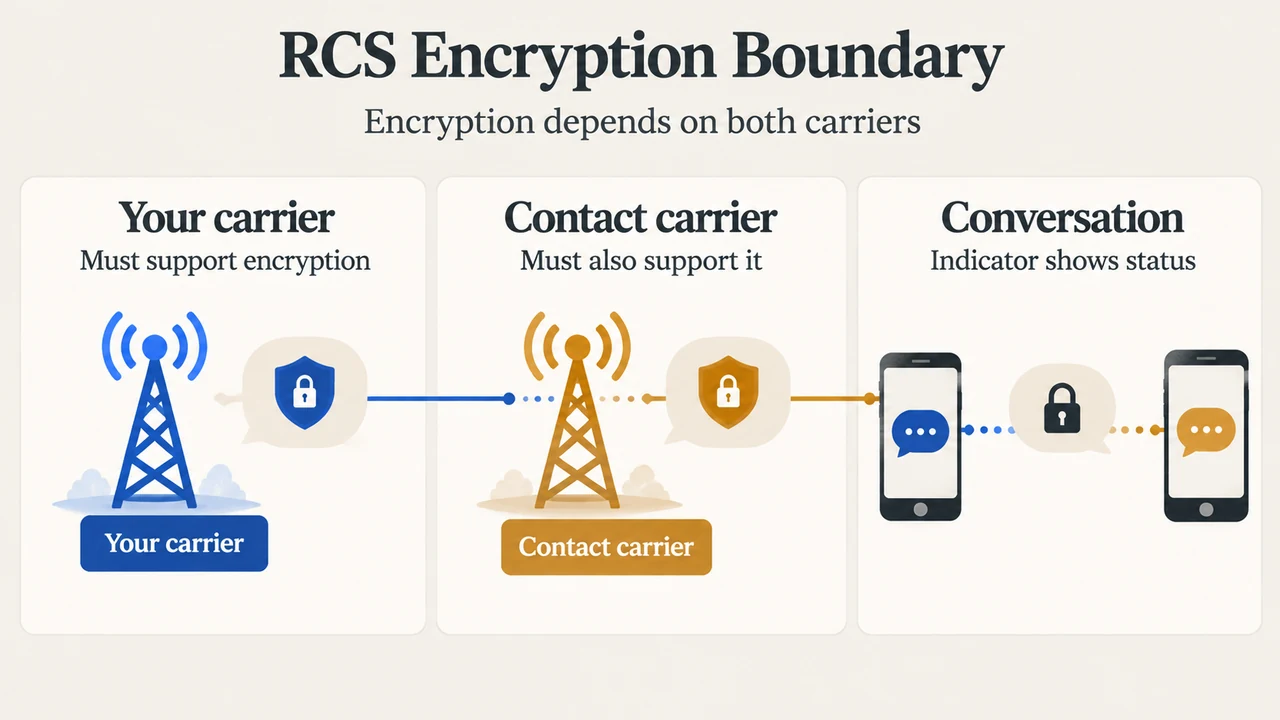
- RCS: Apple’s implementation is based on the industry standard. Starting with iOS 26.5, end-to-end encrypted RCS messaging (Beta) is available with supported carriers and rolls out over time. RCS conversations can be end-to-end encrypted when all participants have carriers that support encryption. Even if your carrier supports encrypted RCS, encryption depends on whether your contact’s carrier also supports it. When encrypted, conversations show “Encrypted” with a lock icon at the top. If you do not see this indicator, RCS messages are not protected from a third party reading them while sent between devices.
- SMS/MMS: SMS and MMS messages are not end-to-end encrypted, meaning they are not protected from a third party reading them while sent between devices.
Research Method and Limitations
This explainer was prepared directly from public Apple Support documentation detailing the differences between iMessage, RCS, and SMS/MMS. No hands-on testing, carrier infrastructure audits, or benchmarks were conducted. Technical coverage is limited to the statements visible in the provided excerpt; carrier-specific provisioning procedures, specific partner identities, and competing platform analyses were not available in the source evidence.
Text version of the diagrams
- Three Message Types: iMessage — Apple devices; encrypted; RCS — Carrier; encryption may vary; SMS/MMS — Carrier; not encrypted
- RCS Encryption Boundary: Your carrier — Must support encryption; Contact carrier — Must also support it; Conversation — Indicator shows status