According to documentation published by Microsoft, Windows Recall is an opt-in search feature designed for Copilot+ PCs running Windows 11. Instead of sending activity to cloud servers, Recall analyzes desktop activity locally without requiring an internet connection. In Microsoft’s described design, captured snapshots and search data are isolated using encryption keys protected by a Trusted Platform Module (TPM) and processed inside Virtualization-based Security (VBS) Enclaves with Windows Hello authentication.
Hardware and Platform Prerequisites
Microsoft Learn specifies that Recall operates on Copilot+ PC hardware that meets the Secured-core standard. Devices must meet the following documented baseline specifications:
- NPU: Neural Processing Unit capable of 40+ TOPS.
- Processor: At least 8 logical processors.
- Memory: Minimum of 16 GB RAM.
- Storage Capacity: Minimum 256 GB total storage capacity.
- Free Space: At least 50 GB of free storage space to enable Recall.
- Storage Threshold: Snapshot saving automatically pauses once available storage drops below 25 GB.
- Security Hardware: TPM 2.0 to provide a hardware root of trust and monotonic counter support.
- Device Encryption: BitLocker on Windows 11 Pro or Device Encryption on Windows 11 Home.
- Biometrics: Windows Hello Enhanced Sign-in Security (ESS) with at least one biometric sign-in option (facial recognition or fingerprint) enabled to launch and use Recall.
VBS Enclaves and Cryptographic Isolation
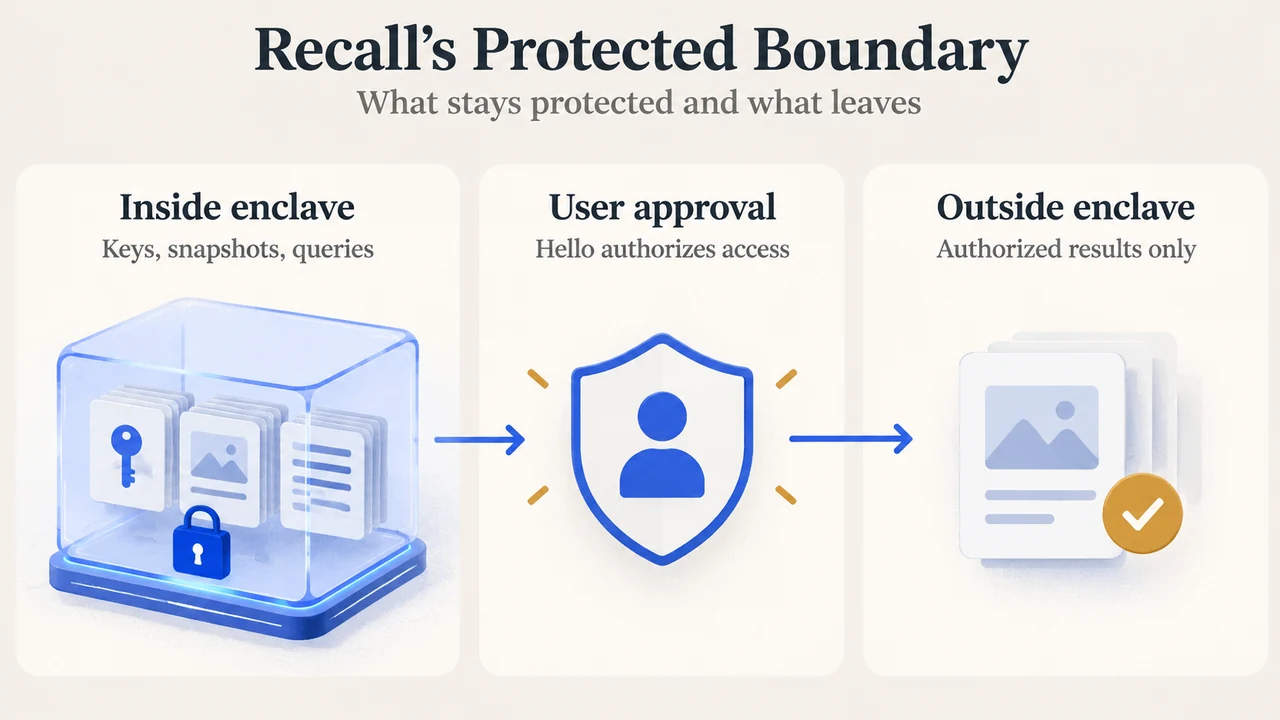
According to Microsoft’s security blog, snapshots and associated information in the vector database remain encrypted on disk. Encryption keys are cryptographically bound to the user’s identity, sealed by a key derived from the platform TPM, and used within the trusted boundary of Virtual Trust Level 1 (VTL1).
Operations that manage keys, perform decryption, or execute query operations run inside a Virtualization-based Security (VBS) Enclave. Microsoft describes this enclave as an isolated environment provided by the hypervisor that offers an isolation boundary from both the operating system kernel and local administrative users. Code running inside the enclave uses cryptographic attestation protocols to verify that the environment is secure before executing sensitive operations.
Windows Hello ESS Authentication and Session Lifecycle
In Microsoft’s documented architecture, accessing Recall requires user authorization through Windows Hello Enhanced Sign-in Security (ESS). A biometric sign-in method (facial recognition or fingerprint) must be enrolled. Microsoft documents that a PIN is supported only as a secondary fallback method after Recall has been configured, intended to prevent data loss if a biometric sensor is damaged.
When an authorized user searches, data is briefly decrypted within the VBS Enclave for the active session. Microsoft states that the authorization period enforces a timeout and uses anti-hammering rate limiting. When the timeout expires, the user must authorize access again for future sessions. Outside the enclave, the Snapshot Service runs as a protected process—the same isolation mechanism used for the Windows Local Security Authority (LSA) host—to limit access to memory containing data returned from queries.
Local Processing: Semantic Indexing and Snapshot Store
Microsoft identifies three core components in the Recall architecture:
- Snapshot Store: Contains saved snapshots and contextual metadata, such as application launch URIs (from apps integrating with the Recall User Activity API), capture timestamps, window title bar strings, and application dwell times. Periodic snapshots occur while on-screen content differs from the previous snapshot.
- Semantic Index: Converts images and text into searchable vectors. Because these vectors may reference private information extracted from snapshots, they are encrypted by keys protected within the VBS Enclave, and all query operations are performed inside the enclave. Local optical character recognition (OCR) is used to analyze snapshots and facilitate search.
- Secure Settings: A protected data store inside the VBS Enclave that holds security configuration data. Modifying security-sensitive settings requires user authorization inside the enclave. The settings revert to secure defaults if tampering is detected.
Privacy Controls and Enterprise Policies
Microsoft describes Recall as strictly opt-in during device setup. If a user does not proactively choose to turn it on, Recall remains off and does not take or save snapshots. Users can also remove Recall using the optional features settings in Windows.
The vendor documentation specifies the following privacy and management controls:
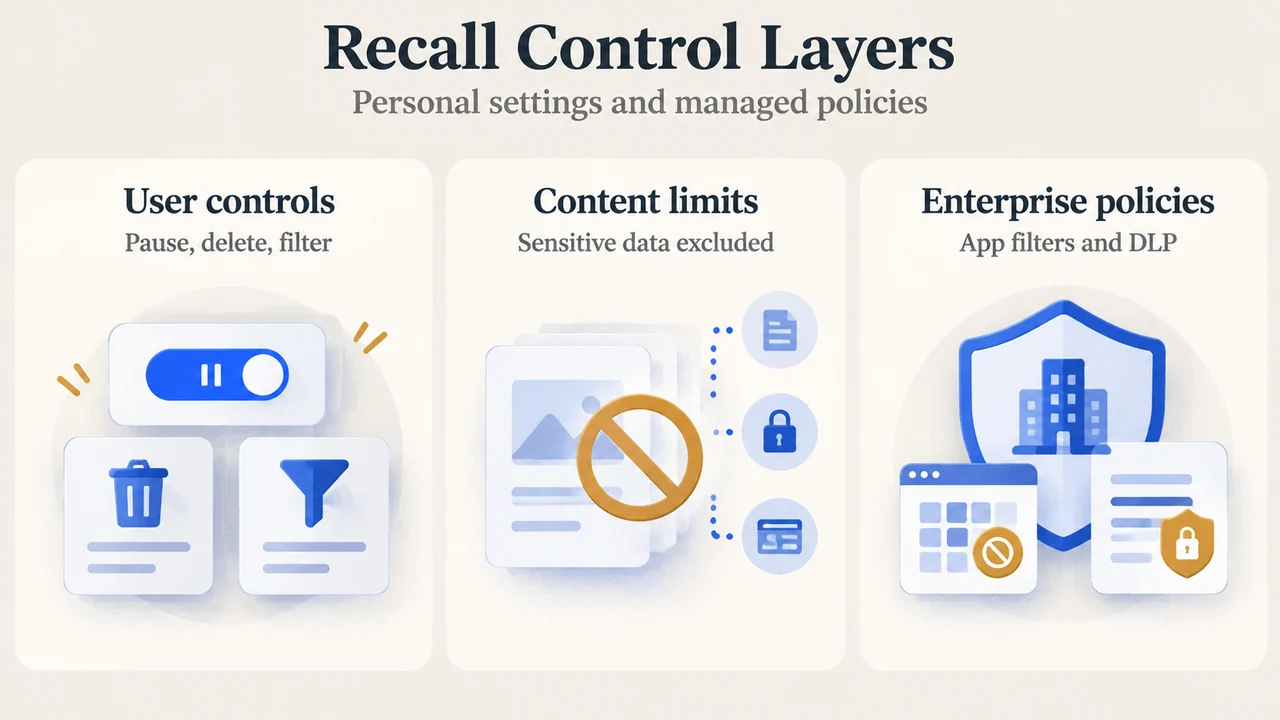
- Sensitive Information Filtering: Enabled by default, this feature operates on-device using the NPU and the Microsoft Classification Engine (MCE)—the technology used in Microsoft Purview—to help reduce storing passwords, credit card numbers, and national identification numbers. When potentially sensitive information is detected, snapshots are not saved.
- Excluded Content: Recall does not store Digital Rights Management (DRM) content, does not record audio, does not save continuous video, and does not save game video when Game Mode is active on supporting platforms.
- User Controls: A system tray icon indicates when snapshots are being saved and allows users to pause capture. Users can delete captured content across time ranges, apps, websites, or search results. Supported browsers can filter specific websites and private browsing sessions.
- Diagnostic Data: Microsoft notes that, like any Windows feature, some diagnostic data may be provided according to the user’s privacy settings.
- Commercial Management: On commercially managed devices, Recall is removed by default. IT administrators can configure application filtering using Configuration Service Provider (CSP) or Group Policy (
SetDenyAppListForRecall) and configure window-level Data Loss Prevention (DLP) providers, such as Microsoft Purview endpoint DLP.
Research Method and Limitations
This technical summary was prepared exclusively from the supplied public documentation excerpts published by Microsoft on Microsoft Learn and the Windows Experience Blog (the blog post was dated September 27, 2024; no publication date was provided in the supplied Learn excerpt). This review reflects vendor-described architecture and features in preview; independent technical verifications, external benchmarks, and competing product evaluations were unavailable in the provided evidence. Passages within the supplied source text were truncated, and no claims are made beyond the visible excerpts.
Text version of the diagrams
- Recall’s Protected Boundary: Inside enclave — Keys, snapshots, queries; User approval — Hello authorizes access; Outside enclave — Authorized results only
- Recall Control Layers: User controls — Pause, delete, filter; Content limits — Sensitive data excluded; Enterprise policies — App filters and DLP