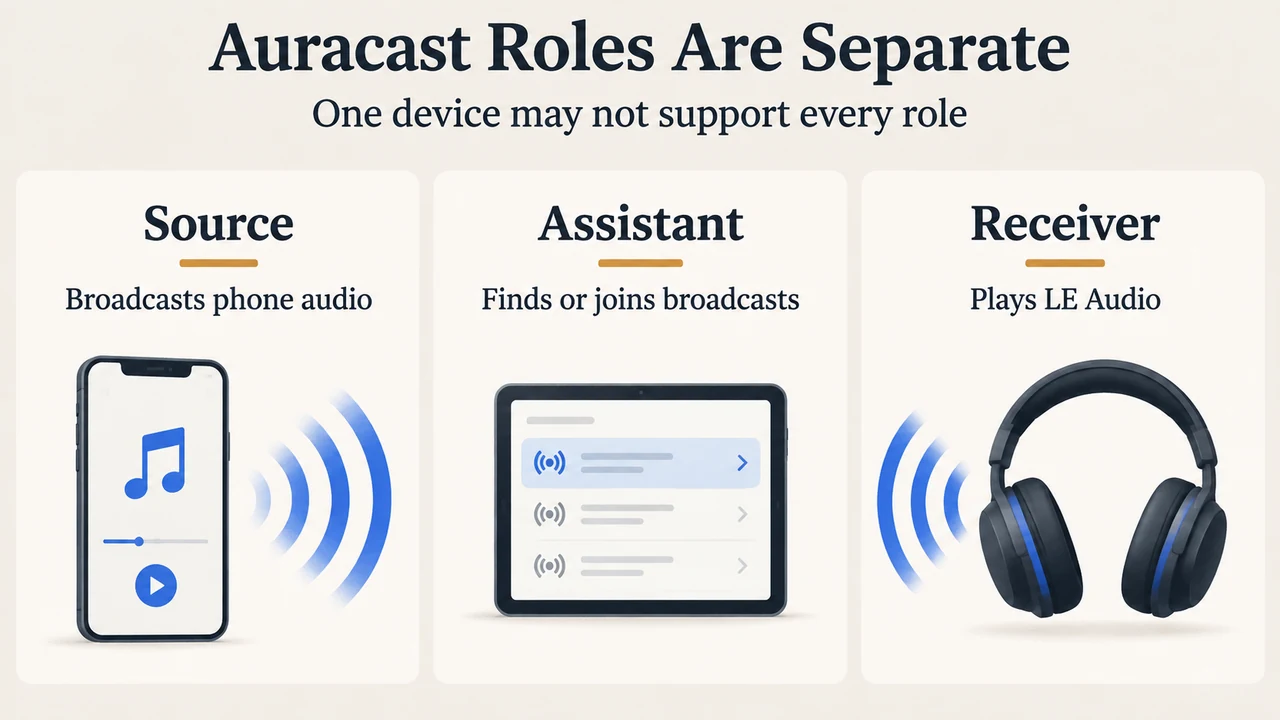
Auracast support does not mean every compatible phone can do every job. A phone may broadcast audio as a source, help you find or join a broadcast as an assistant, or only work with compatible audio equipment. The phone and headphones must support LE Audio for the Android compatibility described by Google.
This guide is for someone checking an Android phone or tablet before buying Auracast headphones or trying to share audio. It uses the public documentation supplied for this article. It does not report hands-on testing, laboratory results, benchmarks, or a complete device review.
First, separate the three Auracast roles
Source: the device sends the broadcast
Bluetooth SIG describes Auracast broadcast audio as Bluetooth LE Audio broadcast audio that can send audio to an unlimited number of nearby Bluetooth audio receivers. Samsung documents source ability as broadcasting music, voice, or other sounds from a compatible Galaxy phone or tablet. On Samsung’s Australian support page, the phone can use its built-in microphone or a USB microphone for voice; Bluetooth microphones are not supported.
Samsung’s documented source list includes selected Galaxy smartphones and tablets with Android One UI 6.1.1 or later. The listed phones include the S24 series, S23 series, Z Fold6, Z Flip6, Z Fold5, Z Flip5, and A55 5G. The listed tablets include selected Tab S9 and Tab S9 FE models. The page also lists certain Samsung TVs. This is a documented model list, not a guarantee that every Galaxy device has source ability.
Assistant: the device helps find or join a broadcast
Samsung separately documents Auracast Assistant ability for selected Galaxy smartphones and tablets with One UI 5.1.1 or later. Its listed phone and tablet models are not a universal list for all Android devices. The same support page says that connecting two or more devices to Auracast is limited to Samsung Galaxy devices.
Receiver or listener: the audio device plays it
Bluetooth SIG describes the receiver as the device that receives the broadcast. Samsung says listeners need an audio device that supports Bluetooth LE Audio, such as headphones or a speaker. A phone that can broadcast therefore does not remove the need for compatible listening hardware.
What Google documents for Android phones
In a September 3, 2025 Android announcement, Google said LE Audio Auracast support was expanding to compatible Pixel phones, alongside selected Samsung Galaxy and Xiaomi devices. Google’s footnote limits current compatibility to selected devices. It lists the Google Pixel 8 series and newer; Samsung flagship devices released since 2023, including the Galaxy S23, S24, and S25 series and Z Fold5, Z Fold6, and Z Fold7; specific Xiaomi models; and specific POCO models.
Google also states that both the phone and the headphones must support LE Audio. That requirement is the safest first filter when checking a purchase. A phone’s ordinary Bluetooth support, by itself, is not enough to establish Auracast compatibility from the supplied evidence.
Google describes Android uses that include listening to broadcasts at Auracast-enabled venues, pairing two LE Audio headphones to a phone, and allowing others to join a phone-created broadcast by scanning a QR code or using Google Fast Pair. These examples describe documented Android capabilities; they do not prove that every listed phone supports every role or interface.
A practical compatibility check
- Identify the exact phone or tablet model, rather than relying on the product family name.
- Check whether the model appears in Google’s selected-device list or Samsung’s applicable source or assistant list.
- Check the software boundary stated by the relevant documentation. Samsung separates source support at One UI 6.1.1 or later from assistant support at One UI 5.1.1 or later.
- Confirm that the headphones or speaker support Bluetooth LE Audio. Samsung says listeners need LE Audio-capable audio equipment, and Google says both phone and headphones must support LE Audio.
- Check the regional and variant limitation. Samsung’s page is written for Australian-variant Galaxy devices and tells owners of international devices to contact their Samsung subsidiary for further support.
- Decide which role you need: broadcasting from the phone, joining a broadcast, or listening through a separate receiver. The supplied sources do not establish that one device automatically supports all three roles.
Why a model name alone is not enough
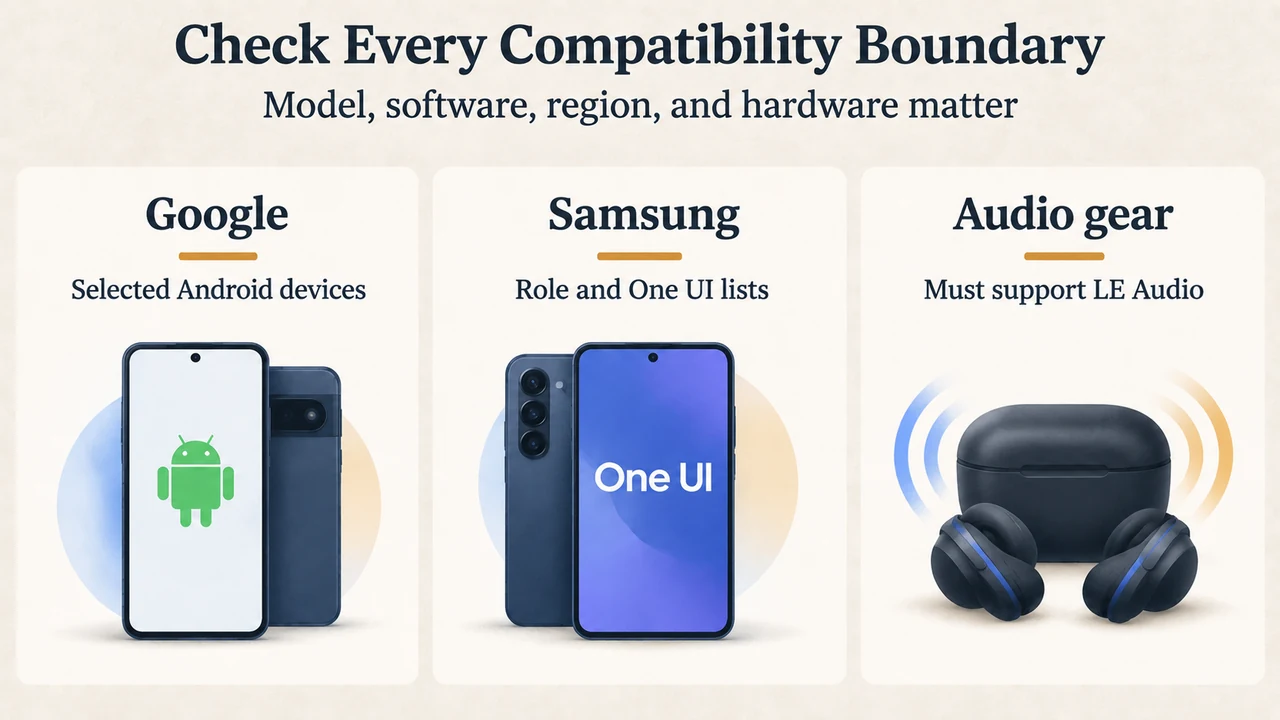
The supplied documentation uses different boundaries. Google provides a selected-device Android list and requires LE Audio on both ends. Samsung provides separate source and assistant lists, separate One UI thresholds, and an Australian-variant limitation. These details mean that a familiar model name is not a complete compatibility check.
Samsung’s page is headed for the Galaxy S26 and Buds4, but its visible source and assistant lists name the models quoted above. This article does not extend those lists to the S26 or to other variants because the supplied passage does not clearly establish that conclusion.
Research method and limitations
This article was prepared only from the supplied public excerpts retrieved on September 20, 2026. The Bluetooth SIG and Google passages are primary documentation for the stated Bluetooth and Android claims; Samsung’s passage is primary documentation for the listed Galaxy roles, models, software thresholds, and Australian-variant note. The competing Android Central page was supplied for coverage comparison, but its excerpt is truncated and was not used as authority for the technical claims. No hands-on, lab, benchmark, price, or comprehensive device review was performed. Support can depend on the exact model, software, region, and LE Audio equipment, so readers should verify the current manufacturer page before purchase or setup.
Text version of the diagrams
- Auracast Roles Are Separate: Source — Broadcasts phone audio; Assistant — Finds or joins broadcasts; Receiver — Plays LE Audio
- Check Every Compatibility Boundary: Google — Selected Android devices; Samsung — Role and One UI lists; Audio gear — Must support LE Audio
Sources
- Bluetooth SIG: Auracast for developers
- Google: Share your world of sound with LE Audio on Android, September 3, 2025
- Samsung Australia: Using Audio broadcast with the Galaxy S26 & Buds4, updated August 20, 2026